



The best medical alert system for most families in 2026 is LifeStation. It owns its monitoring center, and UL’s public directory lists that center under LifeStation’s own name. Its terms run month to month, and you can end them by sending the system back. I checked who answers the button at 18 brands, and most never say.
- Which medical alert system should you buy?
- What is a medical alert system?
- How I checked every pick
- The best medical alert systems for seniors in 2026
- 1. LifeStation: best medical alert system overall
- 2. ADT Health: best from a security company
- 3. MobileHelp: best for knowing exactly who answers
- 4. Bay Alarm Medical: best cheap landline system
- 5. Lively Mobile2: best mobile pendant you can cancel any month
- 6. Medical Guardian: the one every other list ranks first
- 7. Lifeline: best for AARP members, if you read the terms
- 8. LogicMark Freedom Alert: best with no monthly fee
- Life Alert: why it isn’t on my list
- How do you choose a medical alert system for a parent?
- Who answers when you press the button?
- What it costs to start, and what it costs to leave
- Does automatic fall detection work?
- Is an Apple Watch good enough instead?
- Medical alert systems with no monthly fee
- Does Medicare pay for a medical alert system?
- “Free” medical alert calls
- Who is grading these systems?
- When the phone line or cell network changes
- Frequently Asked Questions
- What is the best medical alert system for seniors?
- Which is better, Lifeline or Life Alert?
- Who answers the call when you press the button?
- Can I cancel a medical alert system at any time?
- Does Medicare pay for a medical alert system?
- Can seniors get a medical alert system for free?
- Does fall detection work if someone slides off a bed?
- Does a medical alert system need a landline?
- Is an Apple Watch as good as a medical alert system?
- What happens to the device after you cancel?
- Is a medical alert system right for someone with dementia?
- My Take
Which medical alert system should you buy?
Start with where your parent spends the day, then check who picks up the call. A pendant that only works near a base station is fine for someone who rarely leaves the house. Someone who still drives, walks the dog or goes to church needs a mobile device with its own cellular connection. Then comes the question that matters most, and most guides skip it. When your parent presses the button, which company’s operator answers?
- For most homes, get LifeStation’s Sidekick Home ($38.95 a month, starting price). LifeStation says it owns its monitoring centers, and UL lists a residential monitoring station under its name.
- If you’d rather buy from a security company you already know, get ADT Health. ADT says its medical alert centers are company-owned, and its central stations are in UL’s directory.
- For a mobile pendant where you know exactly who answers, get MobileHelp. It’s the only brand in my check that names an outside monitoring company, Affiliated Monitoring, and that company is UL-listed. Read its three-month minimum first.
- For the cheapest landline setup, get Bay Alarm Medical ($27.95 a month, no activation fee advertised).
- For a mobile device you can cancel any month, get the Lively Mobile2 ($24.99 a month on the Basic plan with paperless billing, plus the device).
- To pay nothing monthly, get the LogicMark Freedom Alert ($299 once). It dials 911 or family directly, with no monitoring center, and it needs a landline.
Medical Guardian and Lifeline also made my list, because you’ll see them everywhere and they deserve a straight read. Google’s AI Overview calls Medical Guardian the best overall, and AARP sells Lifeline at a member discount. Both have good hardware. Both also have terms that cost more to leave than the monthly price suggests. Medical Guardian doesn’t name the company running its center, and Lifeline’s own centers have no listing under its name in UL’s directory.
The pendant is the cheap part. The company that answers it is what you’re paying for.
Read the “who answers” column before the price. Prices move every few weeks, and most of the ones above are starting prices or sale prices. The center behind the button doesn’t change when the promotion ends.
What is a medical alert system?
A medical alert system is a wearable help button connected to someone who can send help. In the classic setup, the button talks by radio to a base station in the house. The base station calls a monitoring center over a landline or a cellular connection. An operator answers, speaks to your parent through the base station’s speaker, and calls a family member, a neighbor or 911.
The market splits into four kinds, and the split matters more than the brand. In-home systems work within a set range of the base, from a few hundred feet up to 1,400 feet, the most any pick here advertises (MobileHelp’s Classic). Mobile pendants carry their own cellular radio and a speaker, so they work in the yard, the store or the car. Some providers sell their own smartwatch that connects to the same monitoring center. And a smaller group of devices charges no monthly fee at all, because they skip the monitoring center and dial family or 911 directly.
More Read

Fall detection is an add-on for most plans in the first three kinds of medical alert system (ADT’s Basic plan doesn’t offer it). It’s a motion sensor in the pendant that tries to recognize a fall and calls the center on its own if your parent doesn’t respond. It usually costs $9.99 to $11 a month extra on the plans I priced, and Bay Alarm also charges $30 for the fall button. Further down, I explain how well it works, which is less well than the ads suggest.
How I checked every pick
I didn’t buy any of these, and I didn’t press their buttons. Plenty of guides already time their own test calls. I checked the three things a test call can’t show you.
- Who answers. I read each provider’s monitoring, FAQ, about and terms pages for the name of the company that runs its center. Then I searched UL Product iQ for that company on October 28, 2026. UL (Underwriters Laboratories) is a private safety certifier, and Product iQ is its public directory. It’s free and needs no account.
- What it costs to leave. I read each provider’s subscriber terms for three answers. Is there a minimum term? When does a cancellation take effect? What do you owe if the equipment doesn’t come back?
- What it costs over two years. I took the cheapest plan each provider showed on October 28 and multiplied it by 24 months. Where that price was a sale price, I say so. Then I added activation fees and any device you have to buy, at list price. Fall detection is extra and I show it separately. None of these totals include tax.
Eighteen brands went through the first check. Eight made the list below. Life Alert gets its own section, because its paperwork is unusual in both directions.
The best medical alert systems for seniors in 2026
Here are the best medical alert systems I’d buy, from the strongest paperwork to the most specialized. Each card says who answers, what the terms say about leaving, and what the cheapest plan costs over two years. Prices are from the providers’ US pages on October 28, 2026.
1. LifeStation: best medical alert system overall

LifeStation is my best medical alert system overall because every piece of paperwork lines up. Its home page says, “Owning our monitoring centers enables industry-leading emergency response times.” I searched UL Product iQ and found LifeStation Inc. listed under Monitoring Stations, Residential, file CVSU.BP10043. Most brands on this page can’t show you that much.
The in-home Sidekick Home starts at $38.95 a month, with a range of up to 1,300 feet from the base unit and a 24-hour backup battery. It runs on AT&T’s 4G LTE network, so no landline is needed, and the pendant is waterproof. Fall detection is an optional add-on; the page I read didn’t show its price. The Pearl mobile pendant starts at $42.95 a month, adds GPS and runs up to three days on a charge. There’s also a smartwatch, the Sidekick Smart. On the Sidekick Home, two years comes to $934.80 at the starting price.
The terms are the shortest I read. “The initial term of this Agreement is one month.” You can end it “at any time by returning the System.” If the system doesn’t come back within ten days, you owe its replacement value. The terms don’t put a dollar figure on that. The catch: those terms say “Last updated: September 2018.” I’d confirm them by phone before you order.
Who it’s for: a parent who’s home most of the day or out on foot. It also suits a family that wants to know the center belongs to the company it pays. Who should skip it: anyone shopping on price alone. Other plans here cost less a month.
2. ADT Health: best from a security company

ADT runs its own medical alert monitoring. That makes it the best medical alert system for a home that already trusts a security company. Its Health pages say, “ADT Medical Alert monitoring centers are company-owned and U.S-based.” UL’s directory lists ADT LLC as a central station (UUFX.S25262) and as a residential monitoring station (CVSU.BP5833). Those listings are for the company, so I can’t tell you which ADT building takes a medical alert call. Still, you know whose operators they are.
Medical Alert Basic costs $31.99 a month and has no fall detection option. Plus costs $39.99 and On-The-Go costs $41.99, and fall detection adds $11 a month to either. The activation fee is where ADT loses points: its disclosures say $99.99, while the plan selector I read showed $99.00. Two years on Basic comes to $867.75, activation included. On-The-Go with fall detection comes to $1,371.75. Both totals assume month-to-month billing: ADT’s package page also advertises $2 off monitoring and free activation if you pay quarterly or annually.
ADT’s published health contract runs in 30-day periods, and the equipment stays ADT’s property. If you don’t return it within 30 days of cancelling, the contract sets a $250 charge per system. Who it’s for: a home that already has ADT, or a family that wants one company for burglar alarm and medical alert. Who should skip it: anyone who wants fall detection on the cheapest plan, because Basic doesn’t offer it.
3. MobileHelp: best for knowing exactly who answers

MobileHelp is the only brand in my check that names an outside company on its own site. “MobileHelp® offers professional 24/7 monitoring services through its partner Affiliated Monitoring,” its about page says, and it names Affiliated’s two centers, in Union, New Jersey and Houston, Texas. Affiliated Monitoring Inc. is in UL’s directory as a central station, file UUFX.S2551. That’s a chain you can check yourself in five minutes.
The Classic Cellular home system was showing $29.95 a month, marked down from $34.95. Fall detection was $10 a month, and activation and shipping were free. The Elite mobile pendant starts at $37.95 a month, which is $910.80 over two years. MobileHelp’s FAQ says its plans include service on AT&T’s network. Two years on Classic Cellular comes to $718.80, or $958.80 with fall detection.
Now the terms. MobileHelp’s FAQ answers “Do I have to sign a contract?” with “No.” It says the subscription “can be cancelled at any time.” Its terms, effective October 5, 2026, set “a minimum three-month (90-day) service commitment.” A leased device that isn’t back within 30 days of your cancellation notice costs “$350.00.” A restocking fee of up to $50 can come out of any refund, and paying by credit card can carry a surcharge. Both statements are on MobileHelp’s own site. The terms are the ones you agree to.
Buy it if you value a named, listed monitoring company and expect to keep the service for months. Skip it for a short recovery after surgery. Three months is the floor.
4. Bay Alarm Medical: best cheap landline system
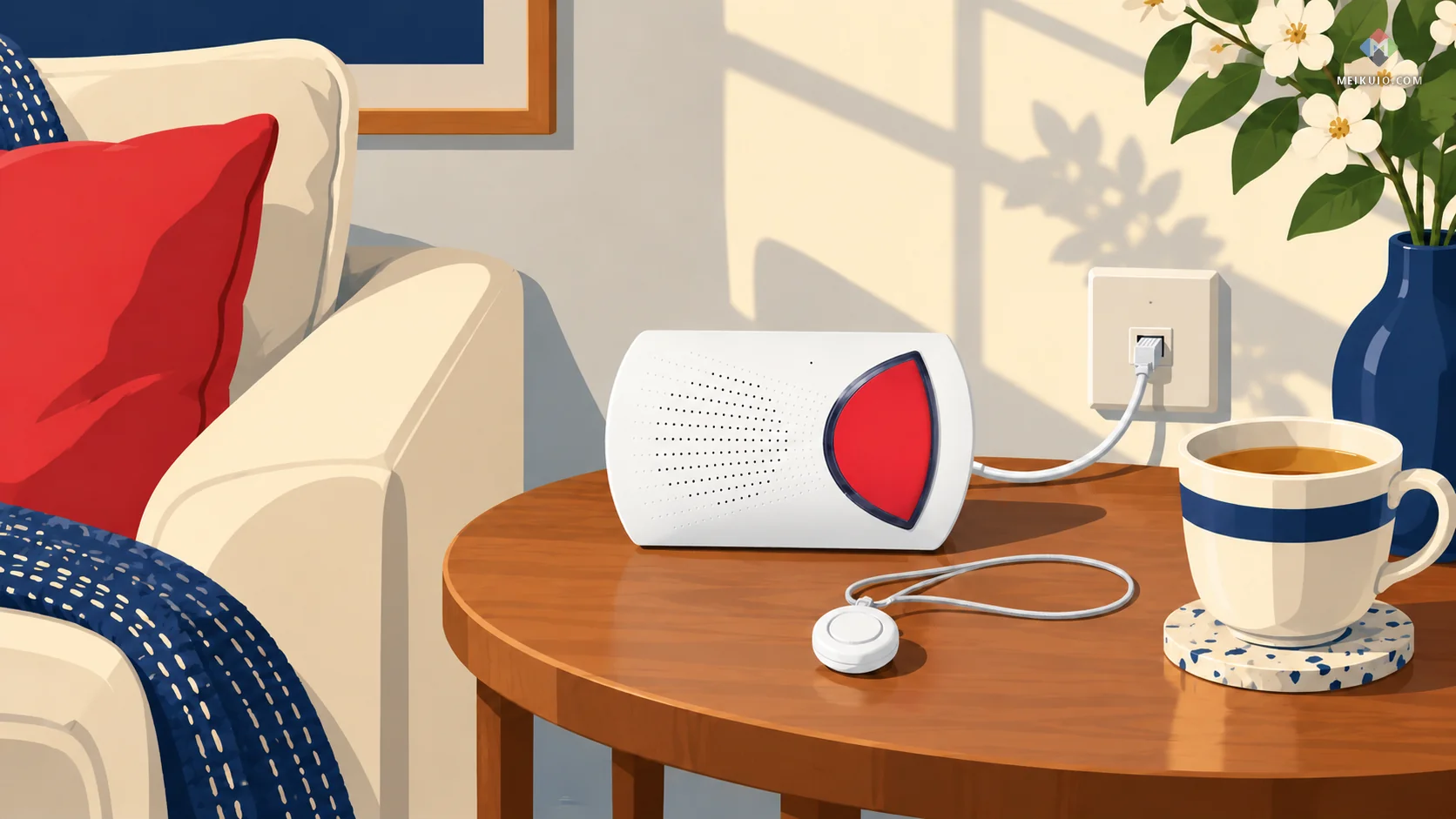
Bay Alarm Medical is the cheapest monitored system here over two years. The Home Landline plan is $27.95 a month, with no activation fee advertised and no device to buy. Home Cellular is $34.95. Fall detection needs the Home Cellular plan: $44.95 a month, plus $30 for the fall button. Two years on the landline plan comes to $670.80.
Its FAQ says Bay Alarm “does not require a long-term contract” and lets you cancel “without cancellation fees.” I couldn’t find a subscriber agreement to check that against, so the FAQ is all I have.
Who answers is less clear. Bay Alarm says it “works closely with our USA-based monitoring partner” in Ogden, Utah and Rexburg, Idaho, without naming the partner. It calls that center “CSAA Five Diamond Certified.” CSAA is the old name of The Monitoring Association, which runs the Five Diamond program today. I found no UL listing under Bay Alarm Medical’s name, which fits a brand that contracts its monitoring out.
Who it’s for: a parent with a working landline who rarely leaves the house, and a family watching the monthly bill. Who should skip it: anyone who wants to look up the monitoring company before trusting it.
5. Lively Mobile2: best mobile pendant you can cancel any month

Lively is a Best Buy Health brand. Its terms, last updated October 19, 2026, say so: “References to ‘Lively,’ ‘our,’ ‘we,’ or ‘us’ mean Best Buy Health, Inc.” They also contain the plainest line about leaving I read anywhere. “You can cancel your Service at any time.” The cancellation takes effect at the end of your billing cycle, and Lively doesn’t refund the rest of that month.
You buy the Mobile2 outright, $119.99 at list price, with a sale price of $89.99 on the day I looked. The Basic plan is $24.99 a month, including a $5 discount for paperless billing. Fall detection adds $9.99. A one-time $35 activation fee may apply. Two years on Basic comes to $719.75 with the device at list price. Add fall detection and it’s $959.51, or $994.51 if you’re also charged activation.
Lively describes “certified Urgent Response agents” and “100% U.S.-based advisors” but doesn’t name a company or a facility. I found no UL listing under Lively or its old name, GreatCall. Who it’s for: an active parent who wants one small device for everywhere and a family that hates contracts. Who should skip it: anyone who wants to verify the center behind the agents.
6. Medical Guardian: the one every other list ranks first

Medical Guardian is the brand you’ll see first on any list of the best medical alert systems. Google’s AI Overview calls it the best overall, and AARP and NCOA both rank it first. Its range is wide. MGHome Landline costs $31.95 a month and MGHome Cellular $38.95. The Guardian Flex mobile pendant is $44.95 plus $10 for fall detection, and the MGMove watch starts at $44.95. Two years on the landline plan comes to $766.80. On the Flex with fall detection, it’s $1,318.80.
Its monitoring page cites a UL certification and “TMA Five-Diamond Certification” but doesn’t name the company or facility that answers. I found no UL listing under Medical Guardian’s name. Its terms are the same template as MobileHelp’s, which makes sense: Medical Guardian bought MobileHelp in 2024. Version 2.1, effective October 5, 2026, sets the same three-month minimum, the same $350 charge for unreturned leased equipment and the same card surcharge.
It suits a family that wants a smartwatch from a big provider and can live with a three-month floor. If you were weighing it against MobileHelp to escape Medical Guardian’s terms, don’t bother. They’re the same terms.
7. Lifeline: best for AARP members, if you read the terms

Lifeline is the name many families already trust, and AARP members get 15% off the monitoring service. AARP’s own benefit page explains the arrangement in one line: “Providers pay a royalty fee to AARP for the use of its intellectual property.” That’s normal for member benefits, and it’s good that AARP says it plainly. It does mean the discount page isn’t a review.
HomeSafe starts at $34.95 a month when you pay for a year at a time, and setup adds $50 for activation plus $49.95 for programming. Two years comes to $938.75 before the AARP discount. Lifeline says, “All our response centers are owned, operated, and located in the United States.” I found no central-station listing under Lifeline or its owner, Connect America, in UL’s directory.
The terms are the strictest of the eight. You pay “a three month minimum non-refundable monitoring charge that is to be paid at the time of order.” Cancel early and a $35 non-refundable restocking fee applies. Monitoring charges continue until Lifeline gets the equipment back. A lost unit can cost “up to $400.” Connect America’s other brand, Medical Alert, publishes the same three clauses word for word. It’s the kind of fine print our guide to plans bought for a parent warns about: read it before the discount, not after.
8. LogicMark Freedom Alert: best with no monthly fee
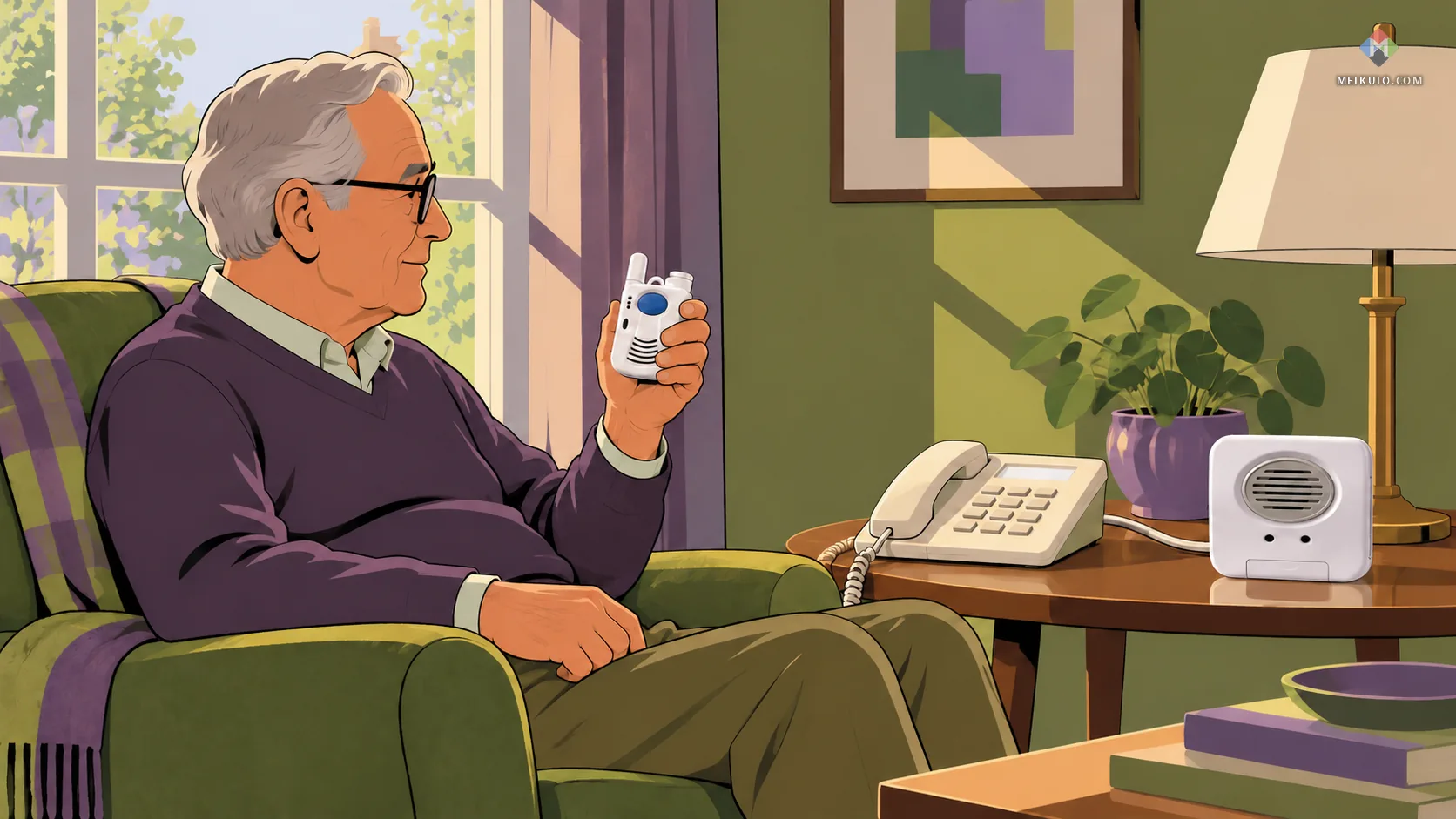
The Freedom Alert costs $299 once, and LogicMark’s page says “There are ZERO monthly fees!” It works through an existing landline and holds up to four phone numbers. It reaches up to 600 feet from its base and has a 24-hour battery backup. Press the button and it calls 911 or the family members you programmed. No operator is involved, so no monitoring center needs checking.
That’s also the trade, and it’s why a no-fee device isn’t a full medical alert system. Nobody stays on the line with your parent while help is on the way. Nobody can give paramedics the code to the key box by the door, which many monitored services keep on file. And nobody tries the second number when the first goes to voicemail at 3 a.m. The device needs a landline, and fall detection isn’t on its product page. It fits a parent who lives with someone, or near family who answer their phones. It doesn’t fit anyone living alone without a landline.
Life Alert: why it isn’t on my list
Life Alert isn’t on my list of the best medical alert systems because of its contract, not its call center. On the call center, its paperwork is better than most. “Life Alert owns and operates its own Emergency Dispatch Centers,” its site says. UL lists Life Alert Emergency Response Inc. as a central station, file UUFX.S24519. Most of the brands every guide recommends instead can’t show you that.
The contract is the problem, and there’s a public record of it. In a March 30, 2021 settlement, New York’s attorney general described Life Alert’s “three year (36 month) Monitoring Service Agreement.” It cost $49.95 to $89.95 a month plus an upfront charge of typically $198. Over the term, that’s $1,996.20 to $3,436.20. The agreement could end early within 30 days of written notice of moving into a nursing home or health-related facility. New York found Life Alert hadn’t disclosed the state’s seven-day right to cancel, a New York law that lets anyone cancel a contract like this within seven days without penalty. Life Alert agreed to pay $750,000 and let more than 5,500 New Yorkers out of their contracts.
Life Alert doesn’t post its current prices or subscriber terms. Its cost page asks you to call. If you do, ask three things before you give a card number. How long does the contract run? What ends it early? What do you pay if your parent dies or moves?
How do you choose a medical alert system for a parent?
Choose the medical alert system by your parent’s week, not by the brochure. I’d ask four questions in this order, and each one rules out part of the list above.
First, where does the day happen? If your parent rarely leaves the house, an in-home medical alert system is enough. Its pendant battery lasts for years, and it never needs charging. That matters more than any feature, because the most common failure is a pendant left on the nightstand. If your parent still drives, shops or walks the dog, buy a mobile pendant and build the charging into a daily routine.
Second, who should get the first call? A parent who hates fuss may refuse to press a button that brings a fire truck. Ask the provider whether the center can call a family member first and send 911 only if nobody answers. If the answer is no, find a provider that says yes. A button your parent won’t press is worse than none.
Third, how long will you need it? After a hip replacement or a hospital stay, the need may last eight weeks. A three-month minimum then costs you a month you don’t use. For short stretches, Lively’s month-to-month plan (you buy the device) or LifeStation’s one-month term fits better. For a parent who’ll keep it for years, the minimum hardly matters.
Fourth, is falling the main worry? Then add fall detection, pick a waterproof pendant and practice the cancel step together. If the falls are getting more frequent, ask your parent’s doctor about a fall-risk check as well. A button gets help after a fall. It does nothing to prevent the next one.
If wandering is the worry instead, because of memory loss, a medical alert system is the wrong tool. A GPS tracker shows you where someone is. A help button only works when the person wearing it knows to press it.
Who answers when you press the button?
When you press a medical alert button, an operator at a monitoring center answers. The company that employs that operator usually isn’t the brand on the pendant. Many medical alert brands are sales and billing companies that contract the calls out to wholesale monitoring firms. That’s normal in this industry. The trouble is that most brands won’t tell you which firm, so you can’t check it.

I read 18 brands’ own monitoring, FAQ, about and terms pages. Five say they own their centers: ADT, Life Alert, LifeStation, Lifeline and LifeFone. Only the first three have a monitoring-center listing under their own name in UL’s directory. One brand names an outside partner: MobileHelp, with Affiliated Monitoring. The other 12 describe “our center,” “certified agents” or “a USA-based monitoring partner” without saying whose.
There are two independent checks on a monitoring center, and both are private, not government. UL lists central stations that meet its alarm-monitoring standard, UL 827, which covers stations “having trained operators on duty at all times.” The Monitoring Association, a trade group, grants a Five Diamond designation “annually.” A center needs inspections by a lab such as “FM Approvals, Intertek/ETL and UL,” and every operator must pass the association’s online training and recertify every three years.
You can look up a monitoring center in UL’s directory in five minutes, without an account.
To check one yourself, ask the provider, in writing, for the legal name of the company that answers its calls. Search that name on UL Product iQ and look for “Central-station Protective Signaling Services” or “Monitoring Stations, Residential.” If the provider won’t give you a name, that’s your answer too. Our water-filter guide uses the same habit for checking a certification in a public registry. It works for the same reason: the certifier’s directory beats the badge on the sales page.
Watch the wording, too. A badge that says “UL” can refer to the charger, the device or the center. And “certified” on a sales page isn’t the same as a listing you can find. The difference between certified and listed trips up more than one industry. Last, ask who gets the first call, and whether you can set a family member ahead of 911. That one setting decides whether a slip in the bathroom brings your daughter or a fire truck.
What it costs to start, and what it costs to leave
The monthly price is only the first number. Across the plans I priced, two years of a medical alert system runs from $670.80 to $1,371.75. The low end is Bay Alarm’s landline plan. The high end is ADT’s On-The-Go with fall detection. The gap comes from two things: the plan you pick (a mobile pendant with fall detection costs more every month) and one-time fees like ADT’s $99.99 activation.
Leaving is where the brands split into two families. Medical Guardian, MobileHelp and One Call Alert publish one template. It has a three-month minimum and $350 for a leased device not returned within 30 days. Add up to $50 restocking and a possible credit-card surcharge. Lifeline and Medical Alert, both owned by Connect America, publish another. It has a three-month non-refundable charge paid at order, a $35 restocking fee, and up to $400 for a lost unit. Five brands on the shelf, two sets of rules.
The cleanest terms I read were Lively’s (“You can cancel your Service at any time”) and LifeStation’s one-month initial term. ADT runs in 30-day periods but charges $250 if the equipment doesn’t come back. Anyone who’s read our piece on the renewal price the checkout doesn’t show knows the pattern. Different people write the number on the product page and the number in the terms.
Before you give a card number
Ask for the subscriber terms, not the FAQ. Look for four lines: the minimum term, when cancelling takes effect, what an unreturned device costs, and any card surcharge. Then put the return box somewhere you’ll find it. On every plan with a non-return fee, the clock starts when you cancel, which often happens in the worst week of a family’s year.
That last point isn’t hypothetical. In the Reddit caregiver threads gathered for this guide, the complaints that came up most weren’t about slow operators. They were about cancelling after a parent died or moved into care, and about bills that kept coming while the equipment sat in an empty house.

Does automatic fall detection work?
Automatic fall detection catches some falls and misses others, and nobody checks its accuracy before it goes on sale. The closest FDA rule I found covers devices used “to sound an alarm for assistance,” and it exempts them from premarket review (21 CFR 890.3725). The FDA’s codes for hospital bed fall alarms, PJO and PJP, are Class 1 and exempt too. Our CPAP guide explains how FDA device classes work. For a help button, the rulebook doesn’t ask whether it works.
Independent research gives a sober picture. In a 2012 study in PLoS ONE, researchers ran 13 published fall-detection algorithms on 29 real falls recorded from older adults at high risk. On average, the algorithms caught 57% of them. Over one day of normal life, they raised between 3 and 85 false alarms. Those were research sensors worn on the waist, not the pendants on sale, but the gap between lab claims and real falls is the point.
The bigger problem is the button nobody presses. A Cambridge study of people over 90 appeared in the BMJ in 2008. Of those who fell, 30% had lain on the floor for an hour or more. In 80% of the falls where someone was alone, couldn’t get up and had a call alarm, they didn’t use it. Having an alarm and using it are different things.
So your parent should still press the button, every time, even with fall detection on. I’d use fall detection like this. Turn it on for a parent who might black out or hit their head, and accept the false alarms. Test the cancel step together. Most pendants give a short countdown before they call, so your parent knows how to say “I’m fine.” Pick a waterproof pendant, because the bathroom is where people fall and where they take the pendant off. And charge mobile devices at the same time every day, like a toothbrush. A mobile pendant on the charger is a pendant nobody’s wearing.
Is an Apple Watch good enough instead?
An Apple Watch is good enough for an active parent who already wears one and charges it every night. Its fall detection calls 911 and texts your emergency contacts. There’s no monitoring center behind it and no operator with your parent’s key-box code. For a parent who’s still driving and on an iPhone, that can be the right call. It costs nothing extra if the watch is already on their wrist.
It’s the wrong call for a frail parent. A watch needs charging daily and slides under a sleeve. A slow slide off the edge of a bed may not register as a fall at all. Apple’s own support page says it plainly: “Apple Watch cannot detect all falls.”
Apple does hold FDA clearances for smartwatch health features, and you can trace them in the agency’s FDA clearance records. When I searched them, they covered the ECG app, irregular-rhythm alerts, sleep apnea, hypertension and hearing features. None was for fall detection. If you’re weighing other wearables worth buying, treat fall detection as a bonus feature, not a safety service. Considering a home robot for the same job? Our look at care robots for the elderly found that none of them picks anyone up off the floor.
Medical alert systems with no monthly fee
A medical alert system with no monthly fee is a speed dialer: it calls family or 911 directly and skips the monitoring center. The LogicMark Freedom Alert, my pick, is $299 once on a landline. LogicMark also sells a Freedom Alert Max that looks similar. It runs on cellular service at $20 a month plus $34.99 for monitoring, so check which model you’re buying.
No-fee devices make sense when the people on the call list really answer. They’re risky when your parent lives alone and the first contact sleeps with a phone on silent. One honest middle ground: a monitored plan where the center calls family first and only dispatches 911 if nobody picks up. Ask whether yours lets you set that call order before you sign up.
Does Medicare pay for a medical alert system?
Original Medicare doesn’t pay for a medical alert system. Medicare’s national list of durable medical equipment rules on “Telephone Alert Systems” with one word: “Deny.” The reason it gives: “these are emergency communications systems and do not serve a diagnostic or therapeutic purpose.” That’s the list, NCD 280.1, in the version effective June 9, 2025.
There are other routes. Medicare Advantage plans, the private plans many people choose instead of Original Medicare, may offer a personal emergency response system as a supplemental benefit, so call the plan and ask by that name. State Medicaid waiver programs for people living at home can cover one as well. Veterans can ask their VA primary care provider whether the VA will pay. LifeStation also advertises up to 30% off for customers with insurance; ask which plans it means. None of these is automatic. Each has its own approval.
“Free” medical alert calls
A phone call offering your parent a free medical alert system is a sales call, and sometimes worse. The FTC and Florida sued Lifewatch Inc. in 2015 over robocalls. The calls pitched “free” systems, claimed endorsements from groups like the American Heart Association, and told people the system had already been bought for them. The FTC’s own summary says consumers “were responsible for monthly monitoring fees” and found it “difficult to cancel without paying a penalty.”
The case ended in a July 1, 2019 order that bans the defendants from telemarketing. In December 2021, the FTC mailed 71,899 refund checks of $25.15 each, and it has sent two more rounds since. The same scripts still circulate. Teach your parent one rule: hang up, and call back on a number you looked up yourself. It’s the same rule our guide gives for phone scams aimed at older relatives.
Who is grading these systems?
Google’s AI Overview for “best medical alert system” cites AARP and repeats its ranking almost word for word. Medical Guardian is best overall, Bay Alarm best for customer support and MobileHelp best value. LifeStation gets best GPS, LifeFone best necklace. AARP’s own list adds a sixth brand, IRIS Ally, and NCOA’s guide picks five of the same six. Both organizations say how they earn money from this. NCOA’s pages state, “NCOA is supported in part by commissions earned from purchases made through shared affiliate links.” AARP’s member-benefit page says providers pay it a royalty.
I’m not suggesting the reviews are bought. NCOA says brands can’t pay to be featured, and the testers do real work. I’m pointing out what the tests measure: they time calls and drop pendants. I read the main text of the NCOA, AARP and US News guides. I found no mention of UL or Five Diamond listings, and no quoted cancellation clause. Those are the two things I’d want first. Our review of subscriptions sold to protect a parent found the same blind spot.
When the phone line or cell network changes
A medical alert system is only as good as the line it calls on. Cellular devices built for older networks stopped working when US carriers shut down 3G in 2022. T-Mobile retired its 2G network on August 3, 2026. Landlines are disappearing too. A “landline” from a cable company runs through a modem that dies in a power cut unless it has a battery backup. If your parent’s phone comes through the home Wi-Fi router and modem, it’s not the old copper line the base station was designed for.
Two habits fix most of this. Press the test button once a month and make sure the center answers. If you buy a used or hand-me-down device, check its FCC ID. Every device with a radio has one. You can look up a device’s FCC grant to see when the FCC approved it and which networks it was built for.
Field notes
- Who answers: of 18 brands checked, 12 don’t say whose operators answer. Five say they own their centers, and MobileHelp names Affiliated Monitoring. UL Product iQ lists ADT, Life Alert, LifeStation and Affiliated (searched October 28, 2026).
- Two sets of terms: Medical Guardian, MobileHelp and One Call Alert set a three-month minimum and $350 for an unreturned device. Lifeline and Medical Alert set a three-month non-refundable charge and up to $400 for a lost unit.
- Two years: a medical alert system costs from $670.80 (Bay Alarm landline) to $1,371.75 (ADT On-The-Go with fall detection) on the plans priced October 28, 2026. The LogicMark Freedom Alert costs $299 once.
- Life Alert: a 36-month agreement and a $750,000 settlement with New York’s attorney general, March 30, 2021.
- Fall detection: 57% average sensitivity for 13 algorithms on 29 real falls (PLoS ONE, 2012). A call alarm went unused in 80% of falls where people over 90 were alone and couldn’t get up (BMJ, 2008).
- Medicare: “Telephone Alert Systems” marked “Deny” on Medicare’s durable equipment list, NCD 280.1, version effective June 9, 2025.
- Sources: UL Product iQ; The Monitoring Association; 21 CFR 890.3725; CMS NCD 280.1; New York Attorney General; FTC v. Lifewatch Inc.; BMJ 2008;337:a2227; PLoS ONE 2012; providers’ own terms and pricing pages.
Frequently Asked Questions
What is the best medical alert system for seniors?
LifeStation is my pick for most seniors. It owns its monitoring centers, UL lists its residential monitoring station under its own name, and its terms start with one month. For a parent who’s out a lot, MobileHelp names its UL-listed monitoring partner.
Which is better, Lifeline or Life Alert?
Neither is my first choice. Life Alert owns a UL-listed center but sold 36-month contracts, according to New York’s attorney general. Lifeline costs AARP members 15% less, but charges a three-month non-refundable minimum and up to $400 for a lost unit.
Who answers the call when you press the button?
An operator at a monitoring center, often run by a different company than the brand. ADT, Life Alert and LifeStation say they own theirs, and UL lists all three. MobileHelp names its partner. Ask your provider for that company’s legal name.
Can I cancel a medical alert system at any time?
Sometimes. Lively’s terms let you cancel any month, and LifeStation’s start with one month. Medical Guardian, MobileHelp and Lifeline set a three-month minimum, while MobileHelp’s own FAQ says it doesn’t require a contract. Read the subscriber terms, not the FAQ.
Does Medicare pay for a medical alert system?
No, not Original Medicare. Its equipment list marks telephone alert systems “Deny.” Some Medicare Advantage plans offer one as a supplemental benefit, and some state Medicaid waiver programs cover one for people living at home. Ask each plan by name.
Can seniors get a medical alert system for free?
Rarely, and never from a cold call. Medicaid waivers, some Medicare Advantage plans and the VA can cover one. Phone offers of a “free” system usually hide a monthly fee; a 2019 court order banned one such operation, Lifewatch, from telemarketing.
Does fall detection work if someone slides off a bed?
Often it doesn’t. Fall detection looks for a sudden drop and impact, so it can miss a slow slide. In a 2012 study, 13 algorithms caught 57% of real falls on average. Teach your parent to press the button anyway.
Does a medical alert system need a landline?
Only some do. Cellular base stations and mobile pendants work without one, and most providers sell both. No-fee dialers like the LogicMark Freedom Alert still need a landline. A cable or internet phone line needs battery backup to work in a power cut.
Is an Apple Watch as good as a medical alert system?
Yes for an active parent who wears and charges it daily. No for a frail one. The watch calls 911 and messages your contacts, but there’s no monitoring center or operator. Apple says the watch “cannot detect all falls.”
What happens to the device after you cancel?
Leased devices go back, usually within 30 days. Medical Guardian and MobileHelp charge $350 if they don’t, ADT $250, and Lifeline up to $400. Several providers keep billing until the device arrives, so ship it with tracking.
Is a medical alert system right for someone with dementia?
Not on its own. A help button works only if the wearer remembers to press it and can say what’s wrong. For wandering, a GPS tracker shows you where someone is. A mobile pendant with GPS helps only while your parent still uses it.
My Take
If this were my mother, I’d set her up with LifeStation. Then I’d spend the first evening on two things. I’d set the call order so the center phones me before the fire department. And I’d hang the pendant on a hook in the bathroom. I’d pick MobileHelp instead if she’s still out every day. I’d also put the return label in a drawer on day one. MobileHelp’s three-month minimum and $350 fee aren’t a problem until the week you need to cancel.
I wouldn’t sign a multi-year medical alert contract with anyone. I wouldn’t pick a brand because a guide ranked it first, either. Ask one question before you pay: who answers, by name? A company that can tell you in one sentence has already passed the test most of this industry skips.