

HR software is where a small employer keeps employee records, runs or connects payroll, and handles hiring and time off. I read the cancellation terms of 19 HR and payroll vendors. After your last day, three give you nothing.
- What is HR software?
- Who writes the “best HR software” rankings?
- The best HR software for small teams, by what you need
- Gusto: best for payroll-first small teams
- Rippling: best for one system across HR, IT and payroll
- BambooHR: best for HR records without switching payroll
- Justworks: best if you want a PEO as your co-employer
- Patriot Software: best for payroll where you choose who files the taxes
- Deel: best for hiring people in other countries
- Zoho People: best free start for a very small team
- Homebase: best for hourly shift teams
- How long does the law make you keep employee records?
- What happens to your employee records when you cancel?
- How do you switch HR software in the middle of the year?
- What does HR software cost, and who shows a price?
- Should you buy HR software, use a PEO or keep the payroll you have?
- How does AI show up in HR software, and which laws apply?
- What should you ask before you sign?
- Frequently Asked Questions
- What is HR software, in plain terms?
- What is the difference between HRIS, HRMS and HCM?
- Can I get HR software without switching my payroll?
- Is there free HR software for a small business?
- How much does HR software cost for a small business?
- What happens to my employee data if I cancel?
- How long do I need to keep payroll records?
- What employee records must be kept for 30 years?
- Is a PEO the same thing as HR software?
- Is HR being replaced by AI in 2026?
- My Take
Eight name no access window at all, yet the law makes you keep most of these records for years. I read those terms, data agreements and help pages on September 27 and 28, 2026.
Then I set them against the federal rules on keeping employee records, plus a few state rules. I didn’t sign up for anything. I didn’t take a sales call either.
I also read the rankings in Google’s top 20 for three HR software searches, all 21 that would open for me. Not one of those 21 rankings says how long a vendor keeps your records after you cancel.
What is HR software?
HR software is a program that stores your employee records and runs the paperwork of employing people: offers, onboarding, time off, and often payroll and benefits. Most plans are priced monthly, per employee. The type you pick decides who files your payroll taxes and whose systems hold your records.
Vendors sell it under three labels. HRIS usually means the employee database, HCM a bigger suite with performance reviews and workforce planning, and HRMS something in between. Compare feature lists, not acronyms.
More Read

Labels aside, one split matters. It’s who files the payroll taxes, and whose name goes on the W-2, the yearly wage form each worker gets.
Payroll-first HR software, like Gusto or Patriot Software, pays your people and, on full-service plans, files the payroll taxes. You stay the employer. The records sit in the vendor’s cloud.
HR software without payroll handles records, onboarding and time off, and leaves the paychecks to someone else. BambooHR lists payroll under “Add-on solutions” on its pricing page, for US employees only. Zoho sells payroll separately from Zoho People.
Rippling puts HR, IT and finance tools on one employee record, so a new hire’s payroll, laptop and app logins start in the same place. Its own blog says the payroll module “cannot be purchased independently” from that core platform.
A PEO is a different animal. Justworks, TriNet and Insperity are professional employer organizations: they become co-employers of your staff and run the payroll tax filings, though who stays liable depends on IRS certification. TriNet’s FAQ says “Form W-2s will be issued under TriNet’s name and FEIN,” its federal tax ID.
An employer of record such as Deel goes a step further. It becomes the legal employer of people you hire in other countries.
Payroll also hides inside products you already pay for. Chase sells it next to your business bank account, and Square, Toast and Clover next to your card terminal. Two of the four run on someone else’s payroll engine, the company that actually calculates pay and files the taxes, which changes who answers to the IRS when penalties hit, as we covered in our guide to payroll services for small business.
At the edges sit single-job tools, like employee survey tools, a help desk for HR tickets or e-signature for offer letters. There’s also open-source HR software such as OrangeHRM’s Starter edition.
It runs on your own server. The records stay with you, and so does every filing.
Who writes the “best HR software” rankings?
In the top 10, mostly the companies being ranked. I combined Google’s US top 10 for “hr software,” “best hr software” and “hr management software” on September 28, 2026, and found nine different rankings. Most came from companies that sell to HR departments.
Vendors wrote five of the nine rankings in Google’s top 10 and ranked themselves first in all five.
HR Acuity sells employee-relations software, and its list names HR Acuity the best tool in 10 of its 17 categories. That includes all three categories by company size.
Samata Health sells mental-health services to employers, and its list opens with “1. Samata Health.” Case IQ lists itself first, then goes alphabetical.
Rippling wrote two of the nine. It tops both.
Only two of the five say so on the page: Rippling’s main list, with “Our product is included in this list,” and Case IQ’s. Rippling’s second list, on HR management software, has no such line. Neither do HR Acuity’s or Samata Health’s.
The other four lists come from publishers: Forbes Advisor, TechnologyAdvice, People Managing People and Zapier. All four say they can earn money from the vendors they cover. TechnologyAdvice is the bluntest: “some vendors may pay us for web traffic or other sales opportunities.”
Further down, vendors still rank themselves first. Across the whole top 20, I counted eight lists from vendors, and seven put the vendor at No. 1. The eighth, Checkr, runs a “Featured: Checkr” box above its numbered list.
Of the 13 publisher lists and HR software directories I read in the top 20, eight say they earn money from vendors. Two lists on the second page, SaaSRat and Sonary, do tell you to export your records and write the export into the contract. Neither names a single vendor’s window.
Some lists also pass you along. On Zapier’s list, the “Visit” buttons for BambooHR, Gusto, Homebase and Deel route through SelectSoftware Reviews, a site that ranks 13th for “hr software.” Its contact form offers to share your details with “up to 3 vendor partners.”
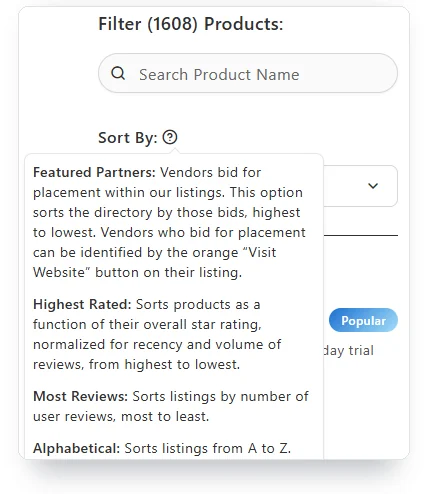
Review directories work the same way, only quieter. Capterra’s HR software directory opens sorted by “Featured Partners,” and its help text explains the sort: “Vendors bid for placement within our listings.” The list runs from the highest bid down, and bidders get an orange “Visit Website” button.
In January 2026, G2, the software review site, agreed to buy Capterra, Software Advice and GetApp from Gartner. Capterra and G2 both rank on the second page of these searches.
G2’s page wouldn’t open for me. It isn’t in my count.
Google’s AI Overview, the AI summary above the results, repeats what the lists say. For “hr software” on September 28, it named BambooHR, Rippling, Gusto, Deel and Workday. For four of the five, its sources included Samata Health’s list, the one that ranks Samata Health first.
The Federal Trade Commission’s 2024 rule on consumer reviews covers a narrower trick. It bars a business from passing off a site it “controls, owns, or operates” as an independent source of reviews for its own category.
A vendor’s blog under its own logo doesn’t pretend to be independent. Checking the domain is your job.
Buyers notice. The Reddit thread Google ranked fifth for “hr software” that day starts with an operations manager at a company of about 40 people. They wrote that “every article feels sponsored or written by someone who’s never actually used the tools.”
At least three of the first 14 visible replies came from vendors pitching their own products. Nobody in the thread asked what happens to the records when you leave a vendor.
The best HR software for small teams, by what you need
I sorted these HR software picks by job, not by score, because no product here is best at everything. Each pick had to pass one test: its own documents say something about your records after you leave, even if it’s only that you get nothing.
I didn’t buy a plan. Prices also move fast, so the table shows whether a price is on the page at all, not what it was on the day I looked.
The short version: Gusto for payroll-first teams, Rippling for one system across HR, IT and payroll, BambooHR for HR records without switching payroll. Pick Justworks if you want a PEO instead, or Patriot Software if you want to choose who files the taxes. Deel handles hiring abroad, Zoho People is the free start, and Homebase fits hourly shifts.
Gusto: best for payroll-first small teams
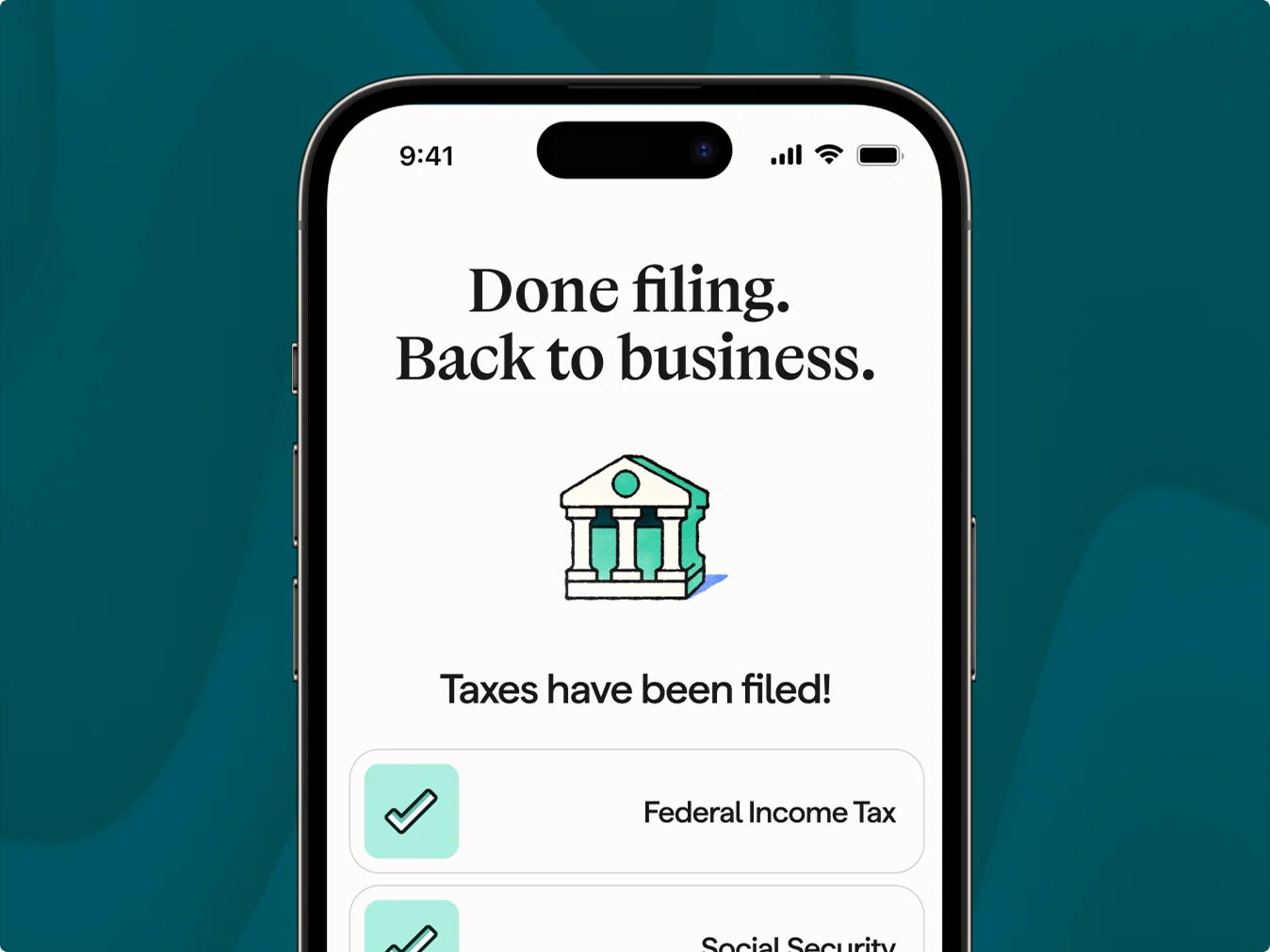
Gusto is payroll-first HR software: it pays your people, files the payroll taxes you authorize, and adds onboarding and benefits around that. You stay the employer.
Its pricing page prints the monthly base fee and the per-person fee. That already puts it in the minority. Only 11 of the 25 paid products I checked print plan prices.
Section 19 of Gusto’s terms keeps a closed account “accessible in a limited, read-only capacity, subject to compliance with this Agreement.” That’s the whole promise, with no day count. That clause matters less than what you tick on the closing form.
Gusto suits a small US employer that wants payroll taxes filed and HR basics in one login. If you hire abroad, look at Deel. If you want laptops and app access run from the same place, look at Rippling.
Rippling: best for one system across HR, IT and payroll
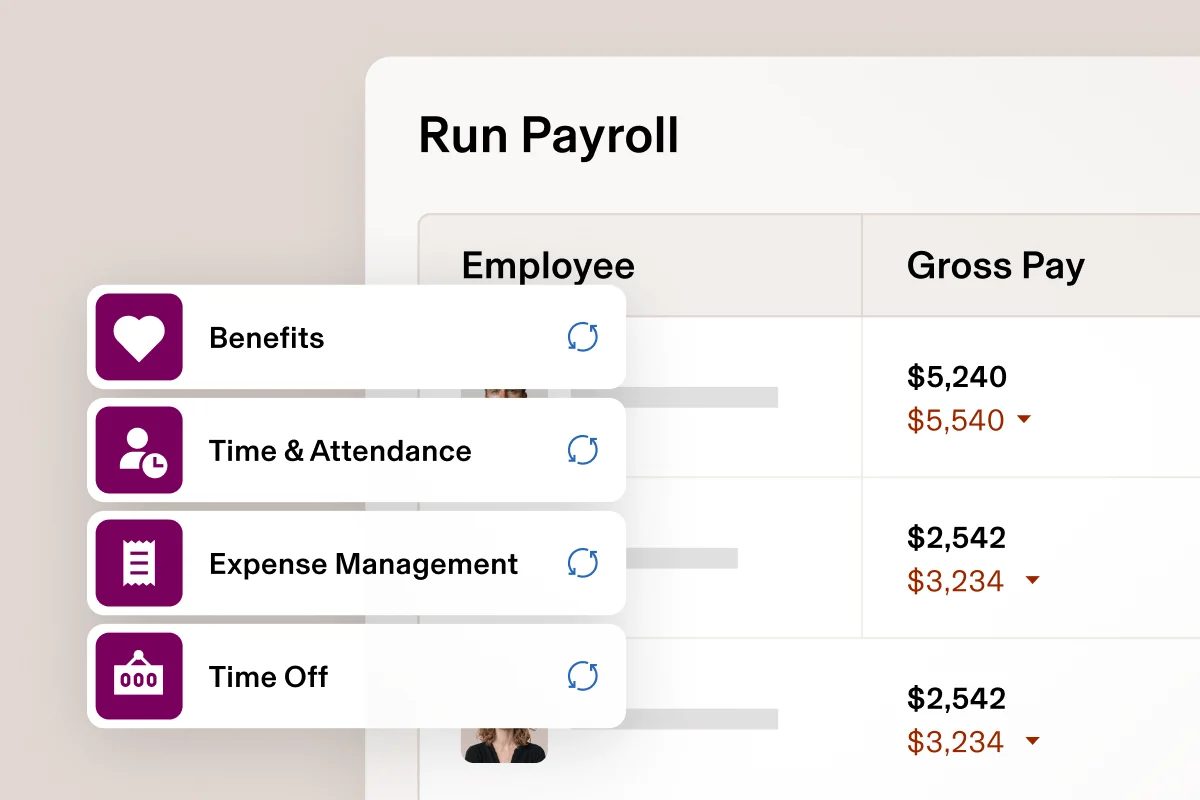
Rippling sells HR, IT and finance tools as modules on one employee record, and payroll is an add-on to its core HR platform. When I loaded its pricing page on September 28, 2026, it showed no price, just a form: “Tell us what services you need, and we’ll send you a custom quote.” By October 15 the page’s FAQ said “Rippling plans start at $8 per employee per month, with a monthly base fee.” My Rippling pricing breakdown turns that into a monthly bill.
Rippling’s exit terms leave nothing after the end date. Its data processing addendum, dated July 2, 2026, returns data only on a request made “on or prior to termination of the Agreement.” Its customer terms add that Rippling “is not responsible for determining how long” your records must be kept.
On AI, Rippling says “Your usage data will not be used to train AI models.” It earns its keep when every new hire needs a laptop and app accounts. It’s the wrong pick if you want a price before a sales call.
BambooHR: best for HR records without switching payroll
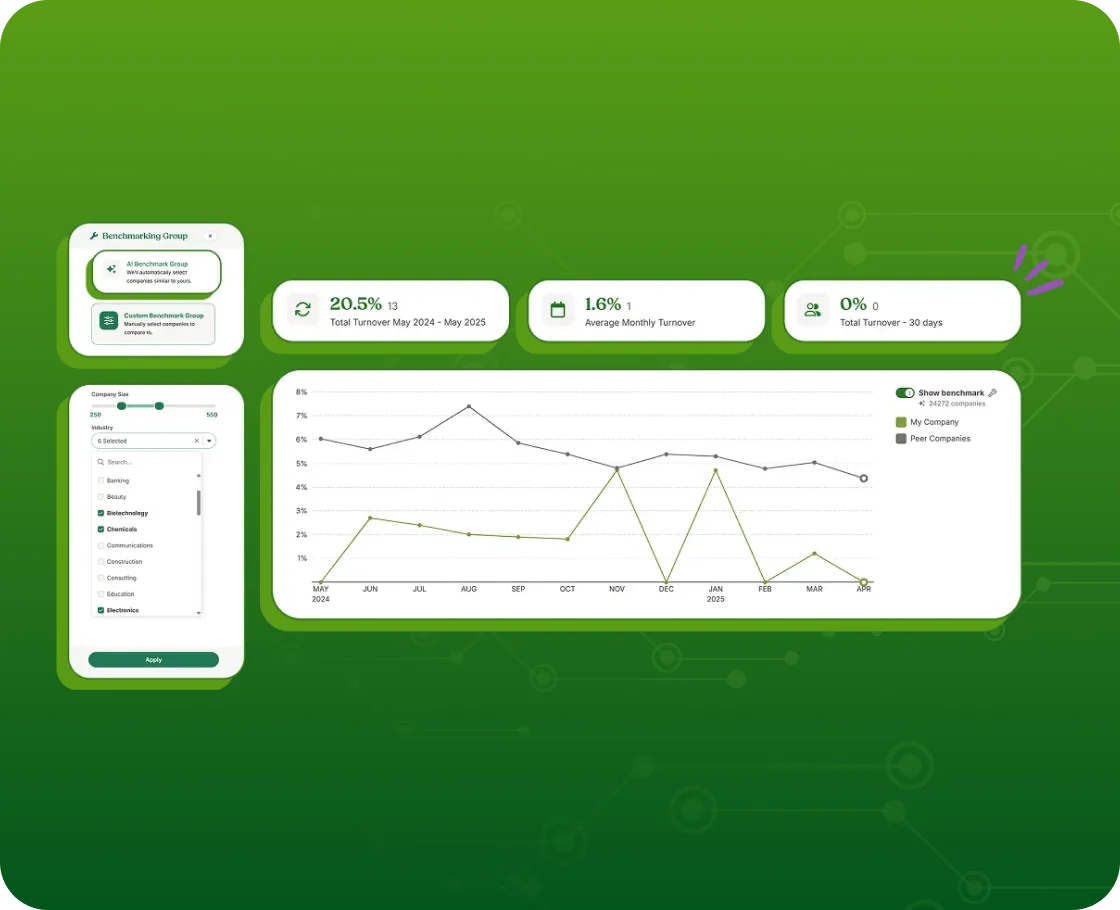
BambooHR is HR software built around the employee database: records, onboarding, time off and reports. Payroll sits under “Add-on solutions” on its pricing page, for US employees only, so you can keep the payroll you run today. Pick it if you like your current payroll, even a bank’s, and need a proper employee database next to it.
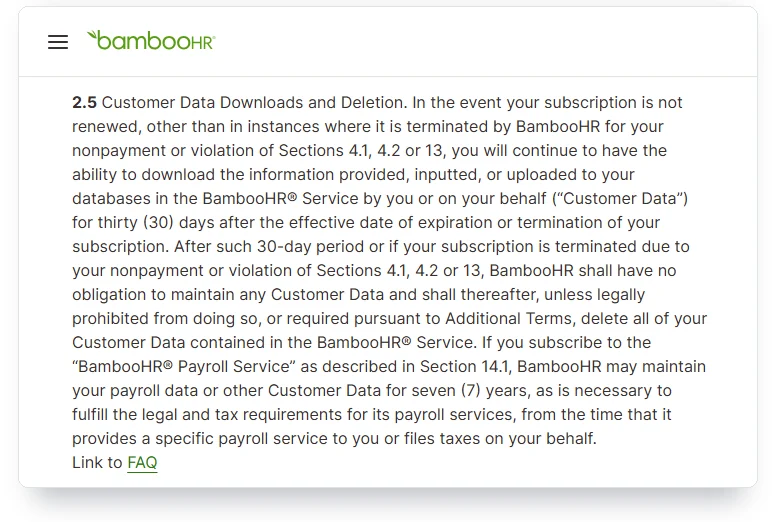
BambooHR prints per-employee plan prices, and companies with 25 employees or fewer pay a flat monthly rate instead. Section 2.5 of its terms gives you 30 days after the subscription ends to download your data. Nonpayment gets you zero days.
If you used its payroll, BambooHR may keep that data for seven years for its own legal duties. The terms don’t promise you access to it.
Its AI page says “Bamboo AI doesn’t use your data beyond the scope of your agreement.” Skip it if you’d rather buy payroll and HR as one plan.
Justworks: best if you want a PEO as your co-employer
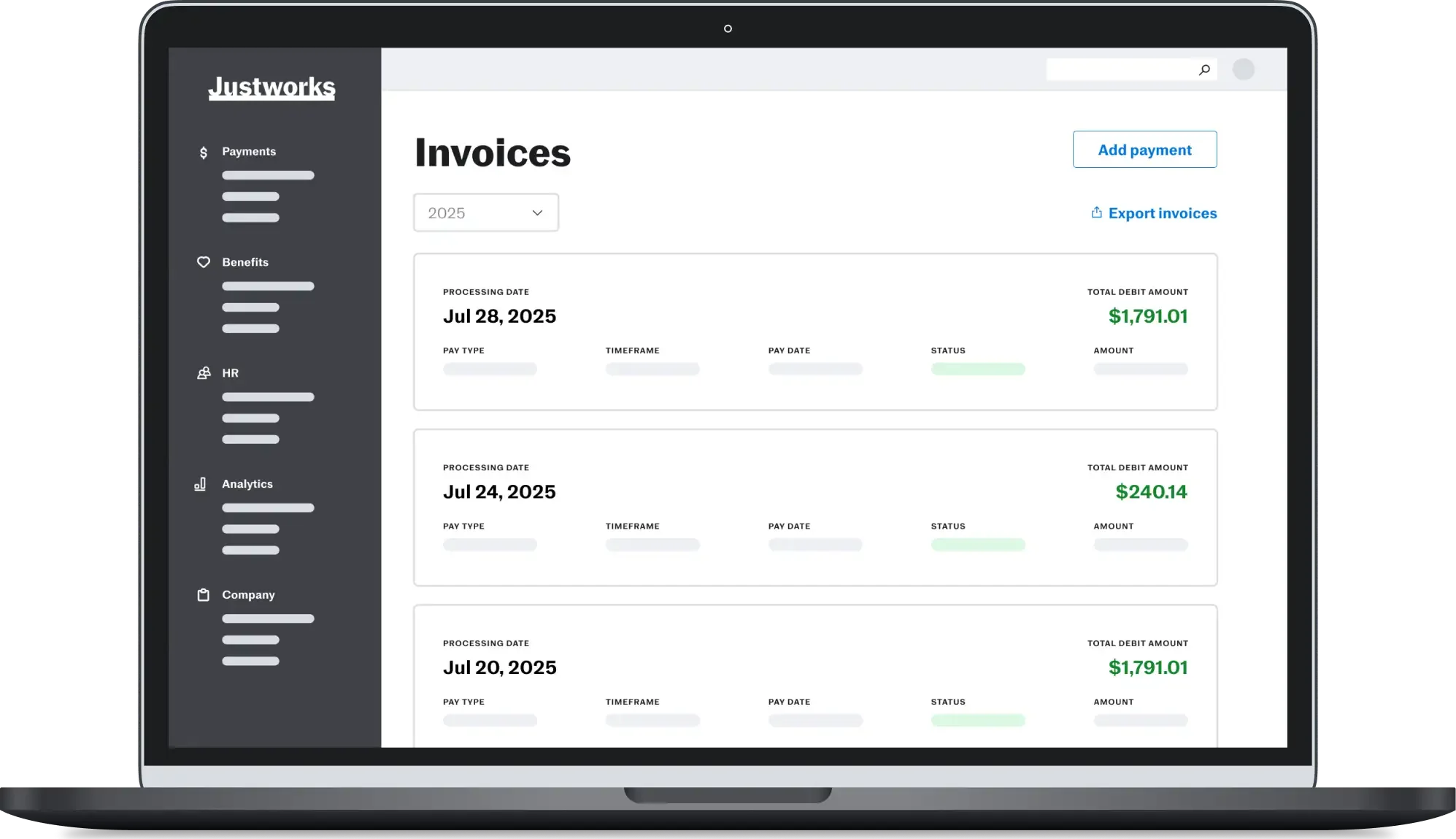
Justworks sells a standalone payroll plan and a PEO plan, where it becomes a co-employer of your staff. Its PEO entities appear on the IRS list of certified PEOs, which changes who owes the payroll taxes.
Justworks prints its PEO prices. TriNet and Insperity don’t. That makes it the certified PEO to start with if you want to see a price first.
Justworks’s help center keeps employee documents viewable “until April 30 following your termination date.” A May exit gets most of a year. A March exit gets a few weeks.
Skip it if you want to stay the only employer on paper. A PEO makes sense only if you’re comfortable sharing that role.
Patriot Software: best for payroll where you choose who files the taxes
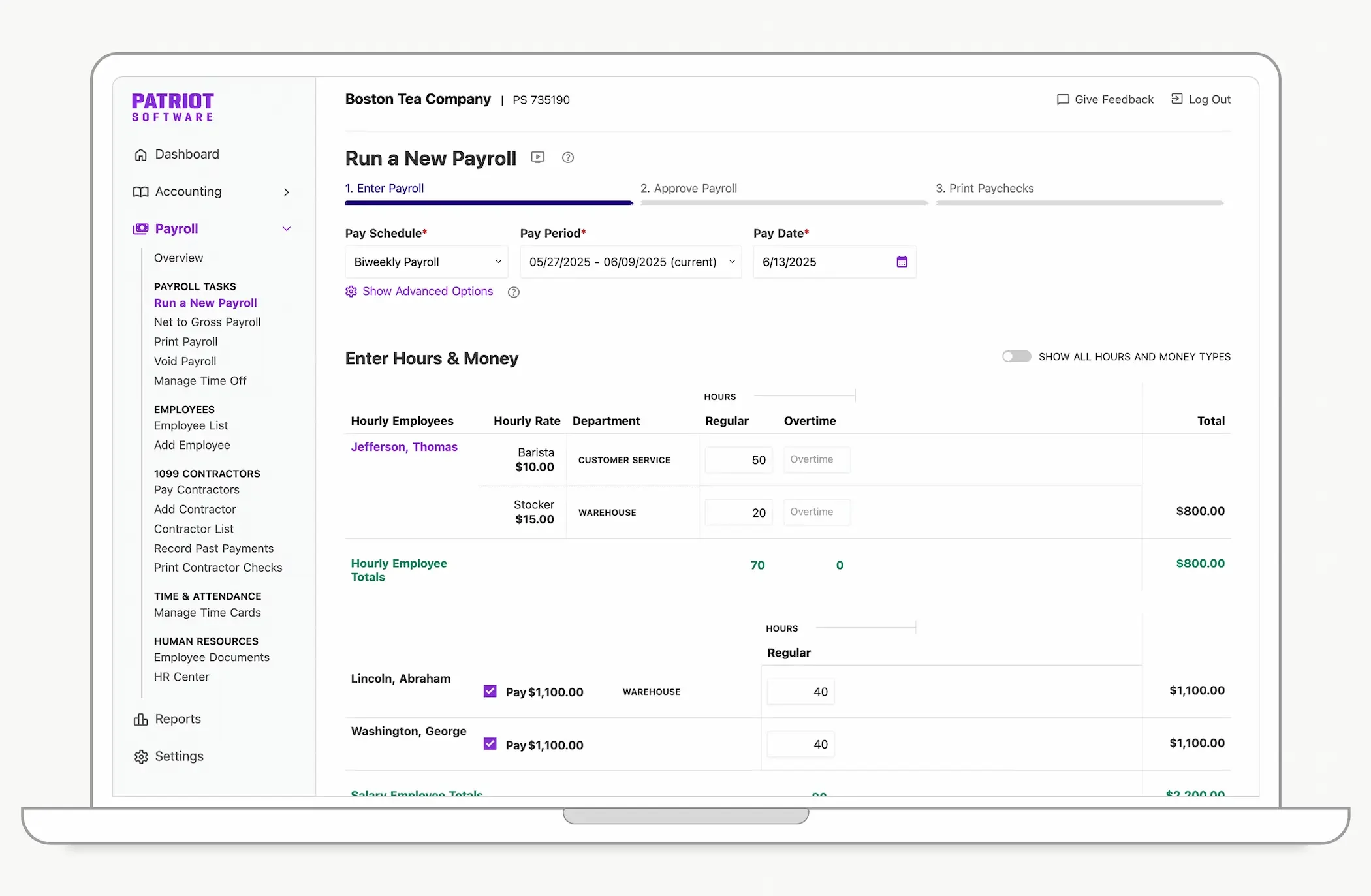
Patriot splits payroll into two plans. Basic Payroll pays your people, and Full Service Payroll adds “Federal tax filings & deposits,” state and local filings, and year-end filings at no extra fee. Its pricing page prints a base fee plus a fee per worker paid, and HR software is a paid add-on to either plan.
Patriot’s subscription agreement allows read-only access for a “reasonable amount of time” after termination, a period Patriot decides. It also isn’t obliged to keep your data more than a year after your notice. Download before you go.
Patriot also says it will “take care of any penalties and interest in the unlikely event of a glitch on our end.” Choose it if you want to decide, plan by plan, who files the taxes. Look elsewhere if you want HR and payroll built as one product from the start.
Deel: best for hiring people in other countries
Deel is built for teams that hire abroad: contractors, its own employer-of-record service and payroll in other countries, with HR software on top. Its pricing page prints per-worker prices, including the employer-of-record service and a US PEO.
Deel’s client data agreement says it will “promptly delete” your personal data when the service ends. It names no number of days. I didn’t find Deel on the IRS list of certified PEOs under that name.
On AI, Deel says your conversations and organization data “are never shared with any learning models.” Use it once you have contractors or staff abroad. If everyone works in the US, it’s more than you need.
Zoho People: best free start for a very small team
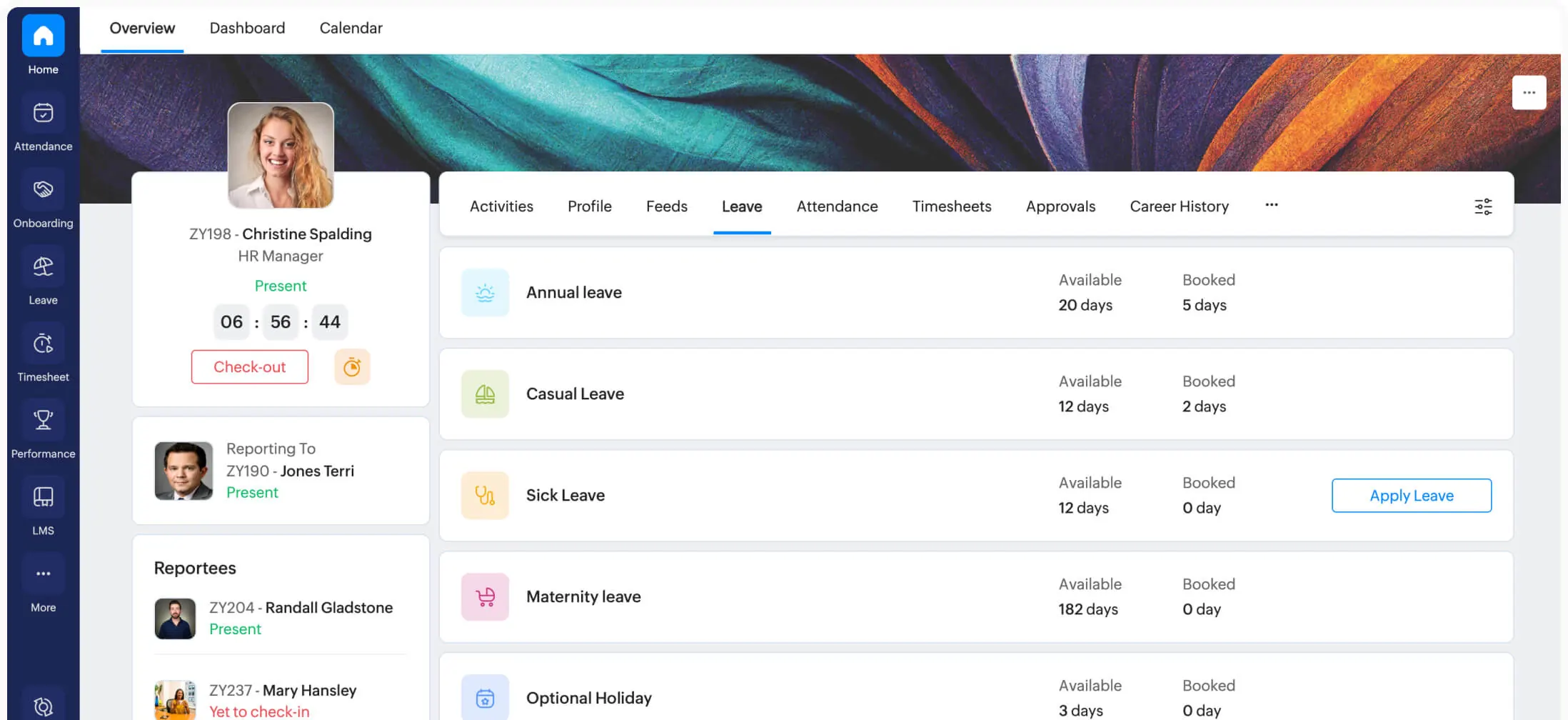
Zoho People’s free edition is “forever free for up to 3 users.” Paid plans add attendance tracking and timesheets, then performance management higher up. Payroll is a separate Zoho product.
It suits a business of three or fewer that wants free HR software for records and time off, not payroll. Zoho’s privacy policy says that once you terminate your account, your data leaves its active database within six months and its backups three months after that. I found no download window in its terms, so export before you close.
If you’d rather hold the records yourself, OrangeHRM gives away its Starter edition as open-source HR software under the GPL-3.0 license. You host it. No vendor’s exit terms apply.
OrangeHRM’s paid Advanced edition is quote-only. Its terms promise a file of your data within 10 days of termination.
Homebase: best for hourly shift teams
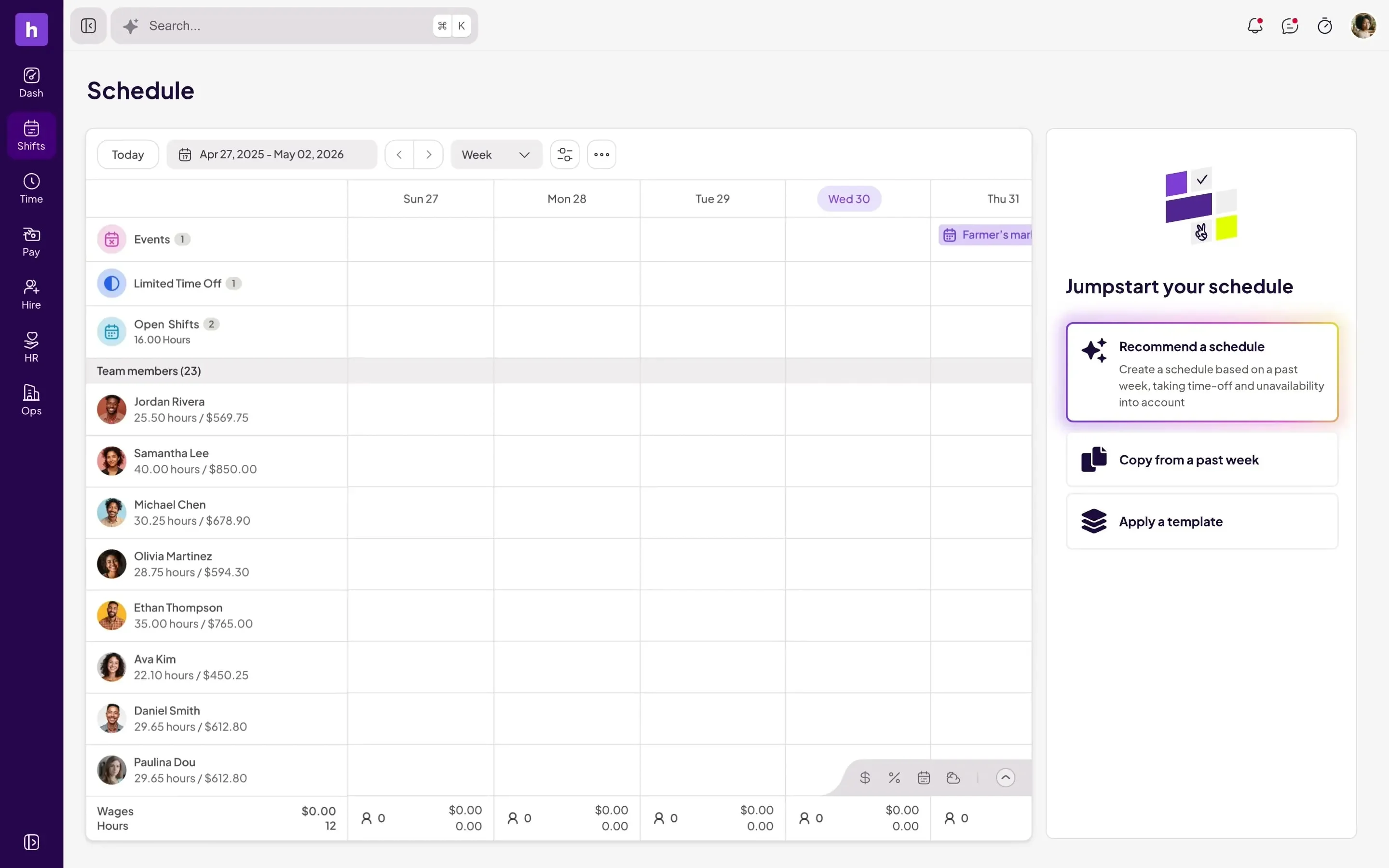
Homebase is built around schedules and time clocks for hourly staff. Its Basic plan is free for one location with up to 10 employees, and you can add payroll to any plan.
Homebase’s customer agreement, dated August 18, 2026, gives you “a fifteen (15) day window” to export your data. That window opens on the date of the termination notice, not your last day of service. After it closes, Homebase “has no further obligation to return any data to you.”
Its payroll runs on another company’s engine. Check’s partner page says Homebase “files payroll taxes powered by Check.”
Homebase makes sense when your business runs on hourly shifts. Skip it if your staff are salaried and never clock in.
How long does the law make you keep employee records?
At least three years for payroll records and at least four for payroll tax records. Form I-9, the work-eligibility form for every new hire, stays three years after hire or one year after the job ends, whichever is later. Some states ask for more: New York wants payroll records kept for six years.

The federal floors don’t share a clock. The Labor Department wants payroll records kept at least three years and time cards two. The IRS regulation counts four years from the tax’s due date “or the date such tax is paid, whichever is the later.”
IRS Publication 15 says it more plainly: “Keep all records of employment taxes for at least 4 years.” The IRS recordkeeping page counts from the fourth-quarter filing instead, which can run later, so plan on the later date. Benefit plans that file ERISA reports keep the supporting records six years after filing.
Not every rule covers every employer. The one-year rule of the Equal Employment Opportunity Commission (EEOC) starts at 15 employees, and the age-discrimination rule, three years for payroll data, at 20.
Family and Medical Leave Act (FMLA) records, also three years, start at 50 employees. OSHA, the federal workplace-safety agency, wants injury logs kept five years once you had more than 10 employees at any point last year.
Medical paperwork gets its own rule. FMLA certifications, disability-related medical information and genetic information each belong in separate, confidential files. If your workers are exposed to toxic substances, OSHA requires you to keep their medical records for the length of employment plus 30 years.
State rules stack on top. New York requires six years for payroll records, and California three years for payroll under its labor code.
California’s discrimination rules go further once you have five employees: four years for employment records, personnel files included, and since October 1, 2025, data from automated hiring tools too. Texas’s unemployment-tax rule asks for four years. Other states set their own clocks, so check your state labor department’s recordkeeping rules too.
Buying HR software moves none of these clocks. The IRS says the employer “is ultimately responsible for the deposit and payment of federal tax liabilities,” even when a third party runs payroll.
The IRS rule on electronic records says using a third party for storage “does not relieve the taxpayer” of its duties. The Labor Department expects records kept at a central office to be ready “within 72 hours following notice.”
The electronic I-9 rule is the strictest. Your storage system can’t be subject to “any agreement (such as a contract or license) that would limit or restrict access” by federal agencies. It has to “remain available as long as required.”
Justice Department and ICE guidance adds: “Using a Form I-9 software program does not guarantee an employer’s compliance with federal law.” Payroll companies’ own guides tell you to keep these records in their software or cloud. OnPay’s says “most payroll software companies offer unlimited digital record storage,” but none of the three guides I read says what happens to the records if you leave.
What happens to your employee records when you cancel?
Whatever the vendor’s own documents say. They rarely match the law’s clock. Of the 19 HR software and payroll vendors I read, only 11 say how long you can reach your data.
The other eight name no access window. Watch which date starts each clock: your notice, your last day of service, or a written request you had to send before the end.

After your last day, three of the 19 vendors give you nothing. Federal rules make you keep payroll records for three years.
Rippling returns data only on a request made “on or prior to termination.” Paychex says ending a Flex account ends “your ability to access anything stored in it.”
Lattice says that at expiration “you will no longer have access to your Lattice data.” It deletes that data 180 days later. You can’t reach it in between.
The short windows run two to four weeks. HiBob gives you 14 days to ask for a copy in writing. Homebase counts 15 days from the termination notice, not from your last day.
BambooHR allows 30 days, and none if the account ended for nonpayment. Personio also allows 30, then puts the burden in writing: “The Controller is solely responsible for the timely export of their data.” Workday offers up to 60 days at no extra cost, but only if you ask in writing by the termination date.
The longest windows run a year. QuickBooks, whose payroll now sells as QuickBooks Workforce, says you’ll have access to your payroll data “until one year after the date your subscription was canceled.”
Paylocity sells up to a year of extended access, paid before it starts. Justworks keeps documents viewable until the April 30 after you leave.
The eight without a number use words like “limited,” “promptly” and “reasonable.” Gusto keeps a closed account in a “limited, read-only capacity.” Deel will “promptly delete” your personal data, and Patriot allows access for a “reasonable amount of time.”
ADP’s terms for RUN let you retrieve stored documents “for a limited amount of time,” but access to its I-9 system ends on the termination date. The same terms make you “responsible for downloading all relevant data, including Form I-9s” before access ends. Paycom charges “an additional fee for any post termination access.”
Zoho gives deletion dates, not a download window. OnPay’s terms say nothing, though its help center promises “lifetime access to all payroll tax forms.” JazzHR’s own documents disagree: its data addendum deletes customer data by day 45, while its security page says deletion starts on day 90.
Put that next to the law. Federal rules make you keep payroll records at least three years and payroll tax records at least four. Apart from OnPay’s promise on tax forms, the longest window I found is one year.
The I-9 rule is the sharpest edge, because your electronic I-9s have to stay available for the whole retention period, whatever the contract says. If your only copies sit in HR software with a 30-day export window, closing that gap is your job. Do it before you cancel.
A PEO adds a second layer. TriNet issues W-2s under its own name and tax ID, and Insperity’s guide says wages “are reported with the PEO’s federal employer identification number (EIN).”
Paychex’s PEO terms say that after you leave, “we will report federal employment taxes for wages we issued during the year.” It may charge a W-2 fee if you weren’t a client through December 31. And a 2023 version of ADP TotalSource’s client agreement, published by a California public health district, says “TotalSource is not, and will not be, Client’s record keeper.”
Bundled payroll has its own exits. Wave ends payroll access at the end of the month you cancel, unless you pay for a limited-access subscription. 7shifts will reactivate a closed account for seven days so you can pull W-2s.
Square warns that “closing your Square Payroll account is irreversible.” Toast’s merchant agreement allows deletion after 30 days, while a Toast help article promises 60. Check, the engine behind Wave and 7shifts, says that after termination it has “no obligation to make further payroll tax filings on Your behalf.”
The step people miss is the closing form. On February 9, 2026, a business owner who had shut down a company filed a Better Business Bureau complaint against Gusto. No 2025 W-2s had been filed.
Gusto’s reply listed the choices recorded when the account was suspended in September 2025, including “File Yearly Forms: No.” It added that “once the account is closed without that election, the year-end filing process cannot be reactivated.”
Gusto also said the payroll data “remains accessible to the customer and their CPA.” Whatever vendor you use, settle who files the year-end forms before you close the account.
Before you give notice
- Send the written data request some vendors require: Rippling and Workday want it by the end date, HiBob within 14 days after.
- Download the payroll register, the record of every pay run, for every year, plus each quarter’s Form 941 federal tax return and your state returns.
- Download every W-2 and the W-3 summary sent with them, and agree in writing on who files this year’s.
- Export your Form I-9s with their audit trail, the log of who entered or changed what.
- Export personnel files and signed offer letters.
- Save time cards and leave records.
- Keep FMLA and medical documents in their own folder, apart from personnel files.
- Get everything in files you can open without the vendor, such as CSV or PDF.
Better still, settle the exit before you sign. Put four things in the contract: days of access after cancelling, the export format, the export fee, and who files the year-end W-2s and W-3 if you leave mid-year. On a self-serve plan with no sales rep, get the same answers from support by email and save them.
And don’t wait for the exit to export. After each quarterly filing, save a copy somewhere your HR software vendor doesn’t control. If you already use automation tools to move data between apps, they can make that copy for you.
How do you switch HR software in the middle of the year?
Export every record before you give notice. Then get two answers in writing from the old HR software vendor: who files the rest of the year’s payroll forms, and how long you can still log in. Take a 10-person company that gives notice and ends service on June 30, 2026.
At 10 employees, the EEOC, age-discrimination and FMLA record rules above don’t reach you yet. OSHA’s injury logs don’t either, as long as you had 10 or fewer employees all last year and the government hasn’t asked in writing. Pass 10 at any point in a year, and you keep the logs the next year.
The rest still runs. June’s time cards have to last until June 2028, and its payroll records until June 2029. The IRS’s recordkeeping page counts four years from the fourth-quarter filing, which puts 2026’s tax records into early 2031.
An I-9 keeps its own date. For a worker hired in March 2024 who quit in June 2026, it stays until June 2027, the later of its two limits.
State rules push further. In New York, June’s payroll records stay until June 2032, and in California a departed worker’s file stays until June 2030.
Now add the vendor’s clock. Cancel BambooHR on June 30 and its 30 days end on July 30, a day before the second-quarter Form 941 is due. Homebase’s 15 days run from the notice itself, so they’re gone by mid-July.
Even QuickBooks, with the longest free window I found for full payroll data, gives access only until June 30, 2027. Every date in the table except the I-9’s runs past that.
Then settle the filings. Chase says it will “only file for the quarter your account is closed, as well as annual filings.” Gusto records a “File Yearly Forms” choice when you close, and the complaint above shows that a “No” can’t be undone.
A switch in the middle of a quarter, say in October, means both vendors paid wages in that quarter. Pin down who files that quarter’s Form 941.
Then ask whether the new vendor imports your year-to-date wages, meaning the pay and taxes already run this year, and issues one W-2 per worker. Ask the old vendor whether its annual forms will cover only the wages it paid.
Do it in this order.
- A month before notice, export everything on the checklist above and check that the files open without the vendor.
- Ask the new vendor, in writing, which quarter it starts filing and whether it will issue the year’s W-2s.
- In the notice to the old vendor, ask who files the current quarter’s Form 941 and until what date you can log in.
- On the closing form, choose the year-end filing option if the old vendor is filing the year.
- Put each keep-until date from the table in a calendar, next to where the files now live.
What does HR software cost, and who shows a price?
Most HR software for small businesses charges a monthly fee per employee, often with a base fee on top. The harder question is whether you’ll see it. Of 25 paid HR, payroll and PEO products, 11 printed plan prices and 12 showed no number at all.
I loaded those pricing pages on September 28, 2026. The other two, Factorial and Namely, showed only a starting price. The no-number group includes ADP, Paychex, Paycom, Paylocity, Workday and UKG, plus Rippling and HiBob.
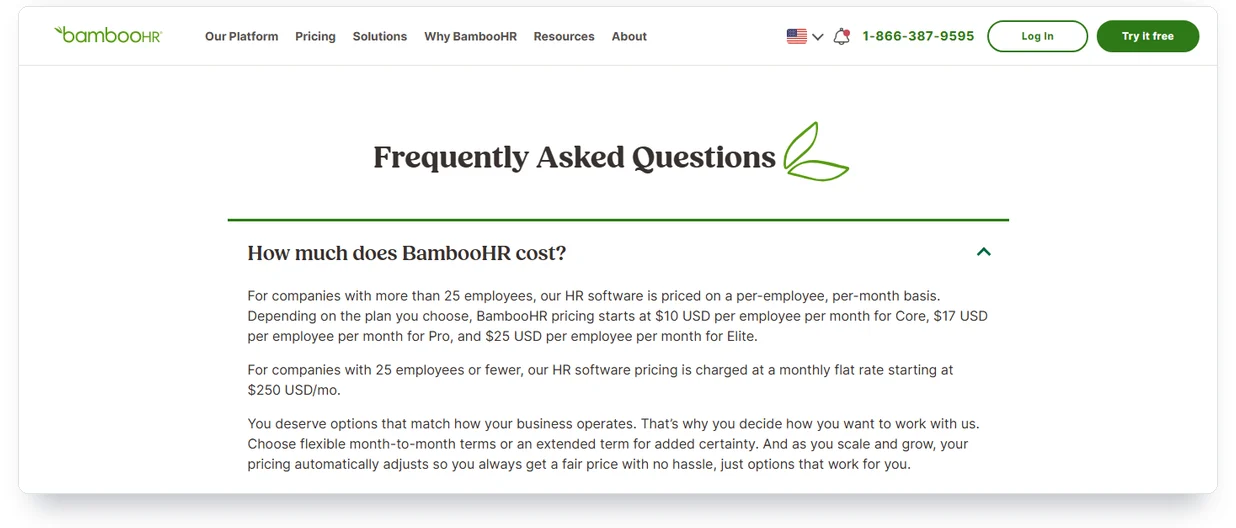
The 11 with prices use a few models. Gusto, OnPay, Patriot, QuickBooks and Justworks’s payroll plan charge a monthly base fee plus a fee per employee. Deel, Lattice and Zoho People charge per person, Homebase per location, JazzHR by the year, and BambooHR per employee, with a flat monthly rate at 25 employees or fewer.
Here is what the eight picks charged on September 29, 2026, taken from their US pricing pages. For the 10-person company from the switching example, list price runs from $0 on Homebase Basic to $1,250 on Deel’s US PEO. Gusto’s Simple plan comes to $109 a month (the full Gusto price breakdown, with fees). Patriot’s Full Service plan, which files your payroll taxes, comes to $87.
Read BambooHR’s row twice. Its $10 to $25 per-employee prices apply above 25 employees. At 25 or fewer it charges a flat rate that starts at $250 a month, so a 10-person team pays at least that before payroll.
PEOs price differently. TriNet explains its model without a number: “Your company pays a flat monthly fee for each active worksite employee,” meaning each worker it co-employs. Justworks prints PEO fees per employee, per month.
Rippling was the odd one. Its pricing page showed no number on September 28, but two posts on Rippling’s own blog print a starting price per employee. Only one of them mentions a base fee as well.
Prices also move faster than rankings. On September 27, Personio’s pricing page showed a starting price in euros; a day later it showed no number at all. Treat any listed price as a snapshot.
Some HR software costs show up only when you leave. Paycom charges for access after termination, and Paylocity sells extended access paid in advance. Paychex’s PEO may bill a W-2 fee if you leave before December 31.
Ask for the full quote in writing, with setup, extra states, year-end forms and those exit fees. If you’re pricing AI tools for the same business, our AI pricing comparison lists them side by side.
Three free options hold up. Zoho People’s free edition covers up to three users, and Homebase’s Basic plan one location with up to 10 employees. OrangeHRM’s Starter edition is free open-source HR software you host yourself.
Should you buy HR software, use a PEO or keep the payroll you have?
Buy HR software if you want to stay the only employer, with the W-2s and tax returns in your name. Use a PEO if you want a co-employer to take on payroll taxes and benefits, and check that the IRS has certified it. If payroll already lives in your bank or card terminal, find out whose engine runs it first.
Certification changes who owes the taxes. An IRS-certified PEO is generally solely liable for paying the federal employment taxes on the wages it pays. Under federal law, it “shall be treated as the employer” for those wages.
With an uncertified PEO, the IRS says the common-law employer, meaning you, “generally remains responsible for paying taxes and filing returns.” So check the IRS list before you sign.
It sits on the certified PEO (CPEO) public listings page at irs.gov. Search it by the legal name on your contract, which can differ from the brand.
The list dated August 7, 2026, includes entities of Justworks, TriNet, Insperity, ADP TotalSource and Paychex. The IRS updates it every quarter and posts suspended PEOs separately.
I didn’t find Deel, which sells a US PEO, on it under that name. If you’re weighing Deel’s PEO, ask which legal entity would co-employ your staff, and look that name up.
Pick the line that matches you.
- If you want to stay the only employer, buy HR software and export your records after every quarterly filing.
- If you want someone else to own the payroll tax filings, use an IRS-certified PEO.
- If payroll already runs in your bank or card terminal, read both contracts: the one you signed and the engine’s.
- If you’d rather keep the records on your own server, run open-source HR software and handle payroll filings separately.
The payroll button inside a bank or register is often another company’s product. Chase says its payroll processing “is powered by Gusto,” and Clover sells Clover Payroll by ADP. Wave and 7shifts run on Check Technologies.
On August 1, 2025, When I Work dropped its own payroll terms and now offers “payroll powered by our preferred partner Rippling.” Square and Toast run their own. Square’s terms name Square Payroll, Inc. as your authorized reporting agent.
That matters when you leave, because your exit terms can live in two contracts. Chase customers accept both Chase’s and Gusto’s terms when they sign up. Chase also says “I-9 forms are not currently stored in Chase Payroll,” so those stay your job from day one.
If you keep the payroll you have and add HR software next to it, automation tools can carry new-hire data from one to the other. Make sure both ends export on your schedule.
How does AI show up in HR software, and which laws apply?
The AI that carries legal risk in HR software is the kind that screens, ranks or scores job candidates. That’s where the laws are. New York City requires yearly bias audits, Illinois and California police discriminatory automated decisions, and Colorado’s rules start January 1, 2027.
New York City has enforced its rule since July 5, 2023. An employer needs an independent bias audit, an outside check of the tool’s results for bias, done within the past year, and a published summary of it.
Candidates get notice at least ten business days before the tool is used on them. Fines run up to $500 for a first violation.
Enforcement has been light. New York City reviewed 32 companies and found one issue; state auditors found at least 17 potential violations. The state comptroller’s December 2025 audit also found that in two years the city had received “only two AEDT complaints,” meaning complaints about automated hiring tools.
Illinois added AI to its Human Rights Act on January 1, 2026. An employer can’t use AI that “has the effect” of discriminating or use ZIP codes as a stand-in for protected classes. It must also tell employees about it.
California’s Civil Rights Council rules have applied since October 1, 2025. They make clear that an automated-decision system can violate state discrimination law, and they fold automated-decision data into the four-year records rule. The state’s privacy agency adds its own rules on automated decisions in employment from January 1, 2027.
Colorado rewrote its 2024 AI Act this year, and the new version’s duties start January 1, 2027. Employers whose tools materially influence hiring or other job decisions must tell people when they interact with the tool. Within 30 days of an adverse outcome, such as a rejection, they owe the person a plain-language description of the tool’s role.
Records have to be kept for three years. The state attorney general enforces the law as a deceptive trade practice.
The federal government went the other way. The EEOC’s two technical-assistance pages on AI in hiring now return errors. A December 2025 executive order set up a Justice Department task force “to challenge State AI laws,” and it names Colorado’s.
The courts are where it gets expensive. In Mobley v. Workday, a federal judge in California let job applicants over 40 proceed together as a collective in May 2025. The court later ruled that the collective includes applicants screened with Workday’s HiredScore AI features.
A hearing on class certification is set for March 9, 2027. In 2023, iTutorGroup paid $365,000 to settle an EEOC case over software that automatically rejected women 55 and older and men 60 and older.
Vendors can change course. HireVue says it removed visual analysis from all of its new assessments “early in 2020.”
I looked for published bias audits on September 28. Eightfold publishes one for its matching model, done by BABL AI under the New York City law. Workday posts an outside analysis of HiredScore Spotlight, finished March 20, 2026.
In New York City, the audit rule binds the employer using the tool, not the vendor. Before you switch a screening feature on, ask the vendor for its audit and check that it covers the way you’ll use the tool.
Put two questions to any HR software vendor. Does a feature screen or rank candidates, and does the vendor train its AI on your data?
The answers vary. Rippling says “Your usage data will not be used to train AI models,” and HiBob says “No data is used to train AI models.”
For customers on its newer contract, Workday “automatically enables data contributions for AI features.” You can switch that off, and Workday says it then deletes past contributions within 30 days.
The same two questions apply to the tools around hiring: interview scheduling tools, LinkedIn automation tools for recruiting outreach, and any AI agents you put in front of candidates. Each one touches candidate data.
What should you ask before you sign?
Ask these ten questions of any HR software vendor, and get each answer in writing: a yes, a no or a number.
- Is the full price on the page, including base fees and add-ons?
- Is it priced per employee, per location, or as a base fee plus a fee per employee?
- Is there a setup fee?
- Does the contract renew by itself, and how many days’ notice do you need to cancel?
- If you leave in the middle of a year, who files that year’s W-2s and Form 941s?
- Can you export everything at any time, in CSV or PDF, at no charge?
- How many days do you keep access after you cancel, and does it cost extra?
- Are medical and FMLA documents stored apart from personnel files?
- Does any feature screen or rank job candidates, and has it had a bias audit?
- Does the vendor train AI on your employees’ data, and can you switch that off?
Number seven, days of access after you cancel, is the one none of the 21 rankings put a number on. Keep signed offer letters and onboarding forms outside the HR system too. If you sign them with an e-signature tool, those signed copies give you a second record.
Field notes
- The census: terms, data agreements and help pages of 19 HR and payroll vendors, read September 27 and 28, 2026. Eleven state how long you can reach your data after cancelling, from zero days to a year; eight name no access window.
- PEOs and bundled payroll: exit terms of 4 more PEOs (TriNet, Insperity, ADP TotalSource, Paychex). Also 9 payroll products sold alone or inside a bank, register, accounting or scheduling app: Chase, Square, Toast, Clover, Wave, 7shifts, When I Work, SurePayroll and Roll by ADP.
- The rankings: 21 of the 22 rankings in Google’s US top 20 for three HR software searches, read September 28, 2026. In the top 10, vendors wrote 5 of 9 and put themselves first in all 5.
- Prices: pricing pages of 25 paid products, loaded September 28, 2026. Eleven print plan prices, 2 a starting price and 12 no number. Plan prices for the eight picks come from their US pricing pages, captured September 29, 2026.
- The law: federal floors of 1 to 6 years by record type, from eCFR and the IRS, plus OSHA exposure medical records for employment plus 30 years. New York, California and Texas stand in as state examples.
- Not covered: I signed up for nothing and tested no product. Other states’ rules aren’t covered here, and terms and prices change without notice.
- Sources: vendors’ own terms, data agreements, pricing and help pages; eCFR (8 CFR 274a.2; 26 CFR 31.6001-1; 29 CFR 516, 825, 1602, 1627, 1630, 1635, 1904, 1910); 26 U.S.C. 3511; IRS; Justice Department and ICE; New York State Comptroller; FTC; Colorado General Assembly; California Civil Rights Council; New York, California and Texas labor and tax rules.
Frequently Asked Questions
What is HR software, in plain terms?
HR software stores your employee records and runs the paperwork of employing people: hiring, onboarding, time off, and often payroll and benefits. Most small businesses pay monthly per employee. Check who files your payroll taxes before you compare features.
What is the difference between HRIS, HRMS and HCM?
Mostly the size of the bundle. HRIS usually means the employee database, HCM a larger suite with performance and workforce planning, and HRMS something in between. Vendors use the labels loosely, so compare feature lists instead of acronyms.
Can I get HR software without switching my payroll?
Yes, if you pick a tool that treats payroll as optional. BambooHR sells payroll as an add-on for US employees, and Zoho People leaves payroll to a separate Zoho product. Your current payroll keeps running next to it.
Is there free HR software for a small business?
Yes, if you fit the limits. Zoho People is free for up to three users, and Homebase’s Basic plan for one location with up to 10 employees. OrangeHRM’s Starter edition is free open-source software you host yourself.
How much does HR software cost for a small business?
Usually a monthly fee per employee, often with a base fee on top. Only 11 of the 25 paid products I checked printed plan prices. Ask for a written quote that covers setup, extra states and year-end forms.
What happens to my employee data if I cancel?
Whatever your contract says. Of the 19 vendors I read, three end access on the termination date, BambooHR allows 30 days and QuickBooks a year. Eight name no access period at all, so export everything before you give notice.
How long do I need to keep payroll records?
At least three years under federal wage rules, and for payroll tax records, at least four years after the tax was due or paid. Some states ask for more: New York requires six years.
What employee records must be kept for 30 years?
Medical and exposure records for workers exposed to toxic substances or harmful physical agents, under OSHA’s rule. Medical records stay for the length of employment plus 30 years. The rule applies only if your workers face that exposure.
Is a PEO the same thing as HR software?
No. HR software is a tool you run as the only employer. A PEO co-employs your staff and handles payroll taxes, and if the IRS has certified it, federal law treats it as the employer for the wages it pays.
Is HR being replaced by AI in 2026?
No, not by the tools I read. Their AI screens, ranks and scores candidates, and that’s exactly the work new laws now regulate. New York City requires bias audits, and Colorado will require an explanation after an adverse outcome.
My Take
For a ten-person company, I’d start with payroll I can price on the page: Gusto, or Patriot’s Full Service plan. I’d add BambooHR once the records outgrow a spreadsheet, and I’d export after every quarterly filing. That habit matters more than the brand.
I’d want two answers in writing from any HR software vendor, my picks included: days of access after cancelling, and who files the W-2s if I leave in June. On Gusto’s or Patriot’s self-serve plans, that means an email from support, saved with the contract. If a vendor won’t put a number of days in writing, assume it’s zero, as it is for three of the 19 I read.