


The best robot kits for kids in 2026 depend on age. For ages 4 to 7, KIBO or Botley 2.0 (from age 5) teach coding with no screen at all. For 8 to 12, Sphero BOLT+, Edison V3 or, for builders, Makeblock mBot2. For teens, a micro:bit robot, Arduino Alvik or XRP. I also read what each maker says about its app, accounts, privacy label and batteries.
- The best robot kits for kids at a glance
- How I checked 24 robot kits without buying them
- Best robot kits for ages 4 to 7: no screen needed
- 1. Botley 2.0: best first robot for ages 5 to 7
- 2. KIBO 18: best screen-free kit if you can spend more
- Best robot kits for ages 8 to 12
- 3. Sphero BOLT+: best ready-to-roll robot for ages 8 to 12
- 4. Edison V3: best robot under $60 that works with or without a screen
- What happened to LEGO SPIKE
- 5. Makeblock mBot2: best build-it-yourself robot for ages 8 and up
- Best robot kits for teens
- 6. DFRobot micro:Maqueen Plus V2: best low-cost robot for a micro:bit
- 7. Arduino Alvik: best for a teen ready to type real code
- 8. XRP: best for a teen headed toward robotics competitions
- What the app collects: 24 kits, checked
- Batteries, small parts and a younger sibling
- When the app dies, what happens to the robot
- AI companion robots are not robot kits
- It moves, but it isn’t a robot: solar and gear kits
- Before you buy: borrow, simulate or join a club
- A five-minute check before you pay
- Frequently Asked Questions
- What is the best starter robotics kit for kids?
- What is the most popular robot for kids?
- What is the best robot kit for a 5-year-old?
- What robot kit is good for an 8-year-old?
- Do coding robots for kids need an app?
- Do robot toys collect children’s data?
- Are robot kits safe in a house with a toddler?
- Can you borrow a robot kit from a public library?
- Is LEGO SPIKE being discontinued?
- Are robot kits worth it for kids?
- My Take
That last part is why this guide exists. When I searched on October 23, 2026, one first-page guide still called LEGO Education SPIKE Prime the best robot kit overall. That kit came off LEGO Education’s own store on June 30, 2026. The only independent, tested review on that page was last updated on March 16, 2025. I read the 12 guides that rank for these searches, and not one of them checks whether a kit’s app needs an account, what the app’s store listing says about your child’s data, or whether the remote runs on a coin cell a toddler can swallow.
So I checked. For each pick below you’ll see who it’s for, how a child programs it, what the box doesn’t tell you, and what I’d watch for. I didn’t buy these kits. I read the makers’ pages, the app listings on Google Play and the App Store, the privacy policies, and the federal recall records, and I quote them as they read on October 23, 2026.
Many robot kits are a gift with an app attached. Read the app before you wrap the box.
The best robot kits for kids at a glance
Eight robot kits for kids made the cut, two or three for each stage. A screen-free robot is one a child programs with buttons, cards or blocks, with no phone or tablet involved. Block coding means dragging picture blocks into order on a screen, the way Scratch works. Typed code is what older kids graduate to: Python or C++ on a laptop.
Prices are what each maker’s own store listed on October 23, 2026. They move a lot before the holidays, so check the maker’s page the day you buy.
How I checked 24 robot kits without buying them
I started with a list of 24 robot kits that US parents actually run into: the ones on toy-store shelves, in school catalogs, in the top search results and in Google’s AI answer. Two of them, Miko 3 and Loona, are companion robots rather than kits; I counted them because they show up in the same searches. Besides my eight picks, the list included Code & Go Robot Mouse, Cubetto, Bee-Bot, indi, Dash, Ozobot Evo, Codey Rocky, Artie Max, Root, LEGO SPIKE Essential and SPIKE Prime, Apitor, UBTECH Jimu, ELEGOO’s Smart Robot Car and the two companion robots. For each one I went through five public places a parent can check before paying. All five are free.
More Read

- The maker’s product page, for the age range, what’s in the box and which batteries it takes.
- The app’s Google Play listing, for its last update and its “Data safety” section.
- The app’s App Store listing, for Apple’s “App Privacy” section.
- The maker’s privacy policy and help pages, for accounts and children’s data.
- The Consumer Product Safety Commission’s recall database, searched by every kit and maker name.
In both stores, a privacy label is a form the app’s developer fills in. Google calls its version “Data safety” and Apple calls its “App Privacy.” Apple’s listings say the answers have “not been verified by Apple,” and Google Play presents them as the developer’s declaration, so I quote both as the developer’s own words. They still matter: a company that writes “Data isn’t encrypted” on its own listing is telling you something.
Some kits had gaps I couldn’t close. A few maker pages refused to load for my tools, and a few apps had no listing I could find. Where that happened, I say so in the tables instead of guessing: “not stated” means the maker’s page I read doesn’t say. I didn’t buy, unbox or drive any kit here. The judgments are mine. The facts are theirs, with the date I read them.
Best robot kits for ages 4 to 7: no screen needed
At this age the whole job is sequencing. Forward, forward, turn left, beep. A child lays out a plan, presses go, watches it fail, and fixes it. That’s debugging, and it doesn’t need a tablet. Both picks here run with no app and no account, so there’s no data to worry about.
1. Botley 2.0: best first robot for ages 5 to 7
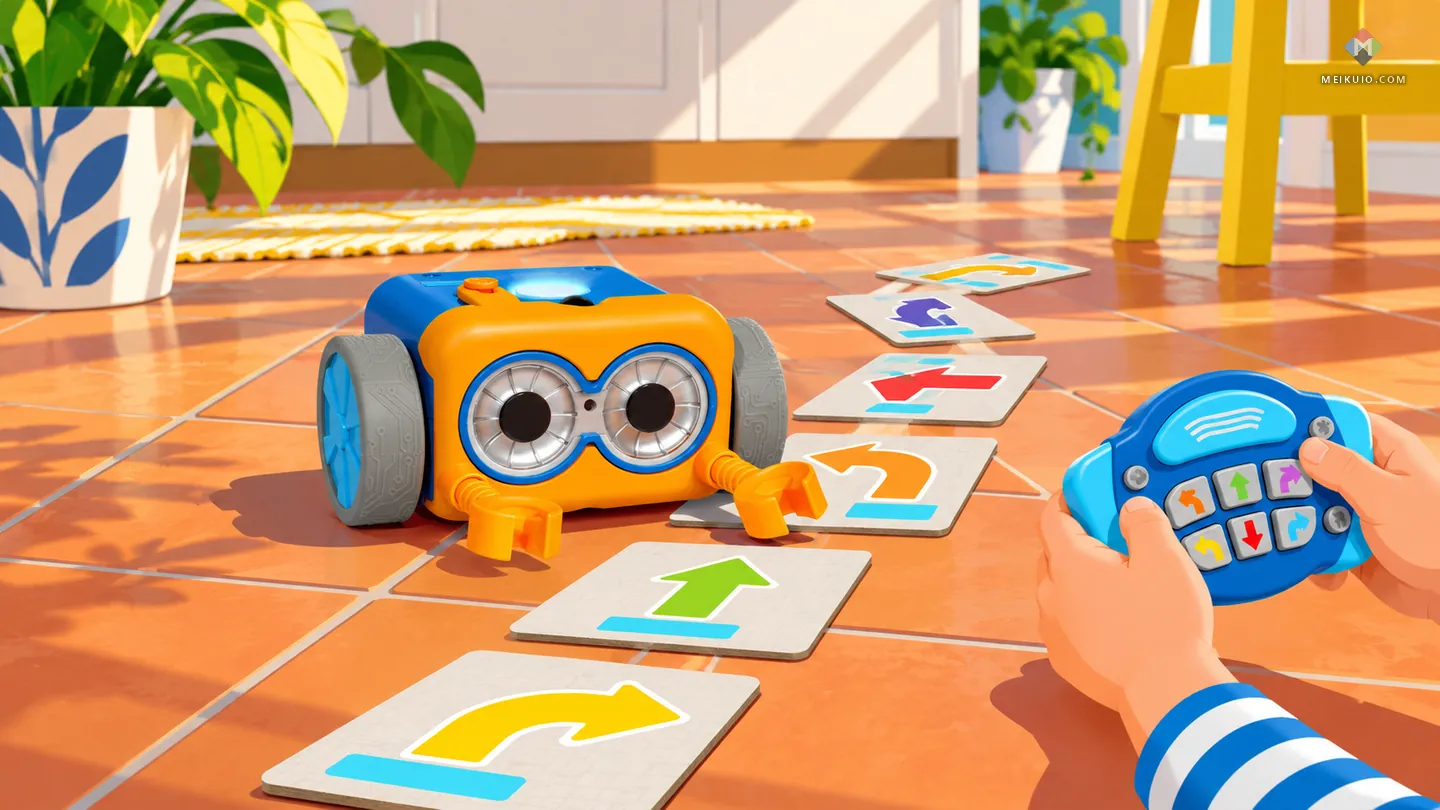
Botley 2.0 from Learning Resources is a small blue robot with an orange face and two big eyes, and a child programs it with a separate remote covered in arrow buttons. Lay out the coding cards, copy the arrows into the remote, press the big button and Botley drives the route. Learning Resources lists the robot at $79.99, and that box already holds the remote, 40 coding cards and two sets of detachable arms. The $99.99 activity set is a bigger 78-piece box.
What the box tells you straight: Learning Resources’ own page says, “All you need are 5 AAA batteries and a Phillips screwdriver nearby.” Three go in the robot and two in the remote. That screwdriver is good news. A battery door that needs a tool is the kind a curious three-year-old can’t open. There’s no app to download and nothing to sign up for. Botley is rated 5 and up on the box.
What to watch: the 40 coding cards are small, and so are the detachable arms. If a toddler shares the playroom, put the bits in a box with a lid. One member of the Well-Trained Mind forum had used Botley, Ozobot, Dash, Sphero and Edison in classes and called Ozobot, Dot & Dash and Botley “more like toys and limited.” That’s fair at 8. At 5, limited is the point.
2. KIBO 18: best screen-free kit if you can spend more
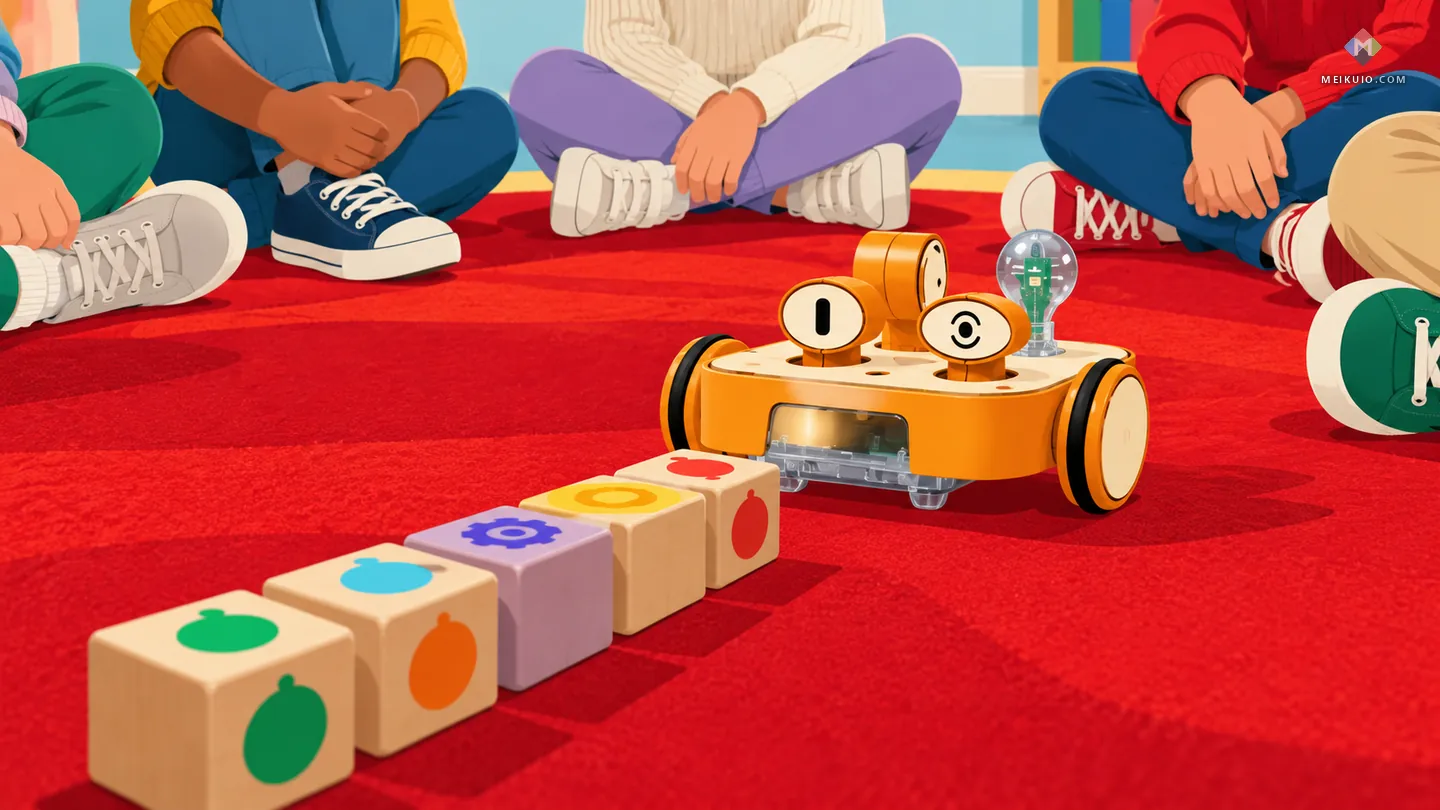
KIBO is a wooden robot from KinderLab Robotics, and kids program it by lining up wooden blocks. The robot scans the barcodes on the blocks, one after another, then acts the program out. KinderLab calls it “Screen-free, powered by imagination,” and the company means it: the core play has no app in the loop. The KIBO 18 kit adds two advanced sensors, the Eye and the Telescope, and If/End If blocks for conditional programming.
The catch is price. KinderLab’s store lists the KIBO 18 kit at $665.00. KinderLab also runs a Home Robotics Course: a rented kit and lessons for three months, and “The program fee is $220, which includes shipping.” For a family that wants to test the idea, that’s a smarter first step than buying.
Batteries: KinderLab’s FAQ says “KIBO requires 4 AA batteries,” and, asked whether KIBO comes with batteries, “we do not include batteries pre-installed.” Plan to buy them. KinderLab also posts on its own site KIBO’s Children’s Product Certificate, the federal safety-testing document for toys aimed at kids 12 and under.
Best robot kits for ages 8 to 12
This band hides two different products under one age label. One is a ready-made robot your child programs on a tablet or laptop. The other is a kit they build from parts first. Don’t mix them up. One tests patience with code, and the other tests patience with screws.
3. Sphero BOLT+: best ready-to-roll robot for ages 8 to 12
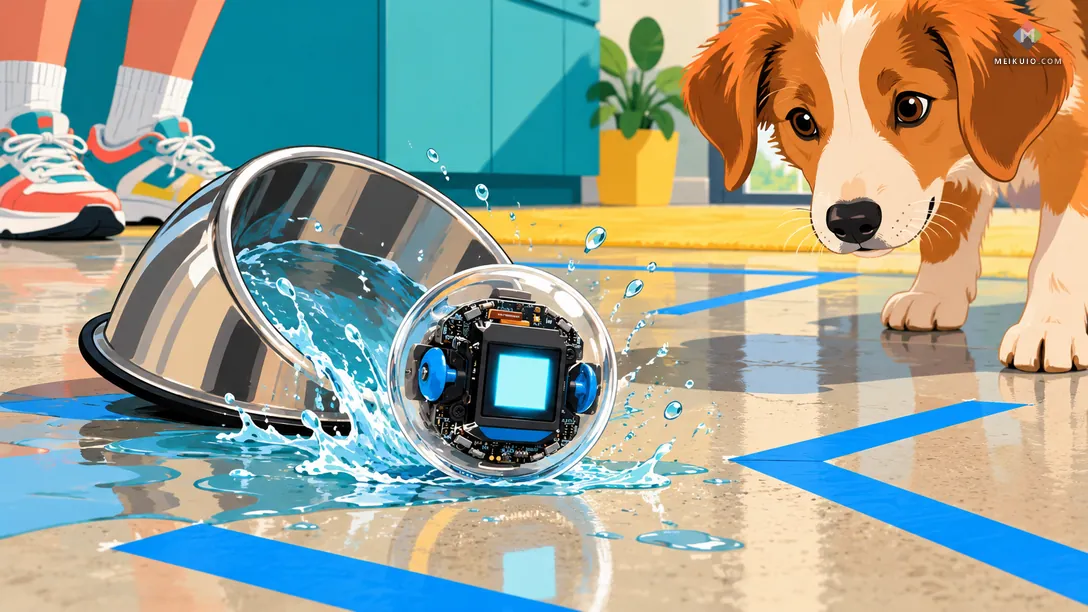
BOLT+ is a clear plastic ball with the robot inside and a small screen you can see through the shell. Sphero sells a single robot for $199.00 and says it’s for “grades 3–10.” Kids drive it, then draw paths, then program it with blocks, then switch the same programs to JavaScript or Python in the Sphero Edu app. It charges wirelessly and the shell is waterproof, which matters more than you’d think the first time it rolls into the dog’s water bowl.
It made the list because of one line in Sphero’s help center: “Students can connect to Sphero robots, create and edit programs, and complete lessons with or without signing in.” No forced account. And Sphero Edu’s Google Play listing says “No data shared with third parties.” It does say the app may collect “Personal info, Photos and videos and 4 others,” which is mostly what you’d expect from an app that can save projects and take pictures. On Android 12 and newer, Sphero says the app needs the “Nearby devices” permission to find the robot, a permission Sphero treats as separate from location.
If someone in the family already has an older BOLT, Sphero runs a trade-in, with “$55 each toward a new BOLT+, regardless of age or condition.”
4. Edison V3: best robot under $60 that works with or without a screen
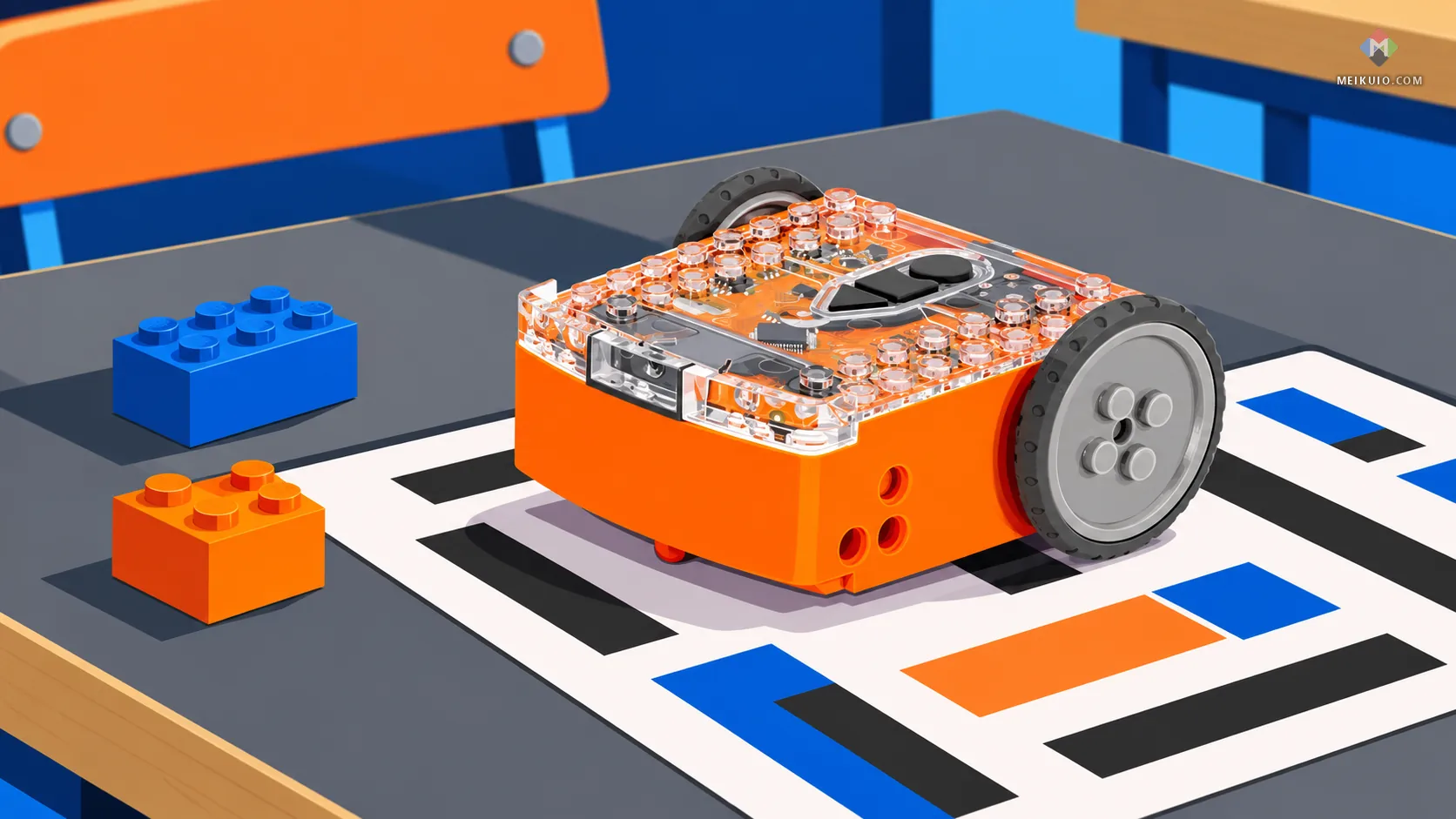
Edison, from Microbric, is a small orange robot with holes on its sides that take LEGO pegs and axles. Its FAQ says “a single unit of Edison is $59 USD,” and the V3 has “an internal Li-ion rechargeable battery.” Start without a screen: drive Edison over a printed barcode card and it learns a program. Its maker puts it bluntly: “No logins, no devices, no fuss!”
Later the same robot moves to Microbric’s free web editors, from picture blocks up to a Python-based language. The maker’s own range runs from ages 4 to 16. I put Edison in this band because the cards are only the start. Honest warning from the same forum member: “Edison was pretty neat while it worked but was limited and broke easily with even slightly rough use.” At $59, I’d still take that risk before spending three times as much.
The other half of this band is robotics kits for kids who’d rather build first and code second. This is where LEGO used to win by default. Not anymore.
What happened to LEGO SPIKE
LEGO Education ended sales of SPIKE Essential, SPIKE Prime, their hubs and hub batteries on June 30, 2026. Its notice says, “After company sales conclude, LEGO® Education will support the SPIKE™ App for five years, until June 30, 2031.” After that date the app will still be available online, but without fixes. For spare parts, LEGO’s customer service “will maintain stock of hardware spare parts until 2 years after last sale.”
If you already own SPIKE, keep it. It’ll work for years, and the bricks never expire. If you’re buying new, skip it. I wouldn’t pay full price for a kit its maker has stopped selling. When I read LEGO Education’s site on October 23, 2026, it led with its Science and Computer Science & AI lines for schools. The SPIKE app’s own Google Play listing, read the same day, says “Data isn’t encrypted” and “Data can’t be deleted,” even though LEGO’s privacy page for the app says it needs no login and “does not upload content or share data.” For the Mindstorms Robot Inventor app, from the older LEGO line that ended earlier, see my guide to robot kits for adults, which covers its shutdown in full.
5. Makeblock mBot2: best build-it-yourself robot for ages 8 and up
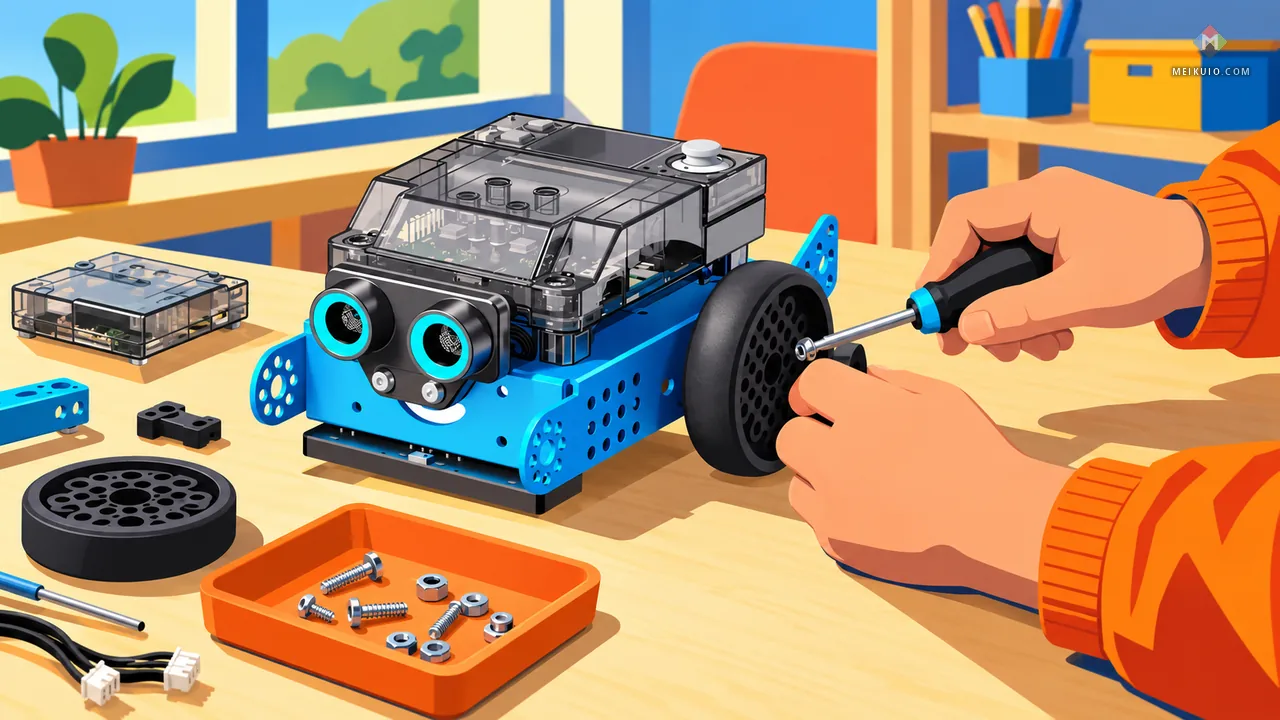
In my searches on October 23, 2026, Google’s AI answer named a Makeblock mBot first for both “robot kits for kids” and “best robot kits for kids,” and mBot2 is the one I’d pick from that line. It’s a blue aluminum chassis with a two-eyed ultrasonic sensor on the front and, on top, a small color-screen controller called CyberPi. A child builds it with a screwdriver, then programs it in Makeblock’s mBlock, starting with Scratch-style blocks and moving to Python on the same robot. Makeblock’s own store had it at $149.99, down from $177.99, when I checked. It runs on a built-in rechargeable battery, 2500 mAh by Makeblock’s spec, that charges over USB.
Its app labels are the most mixed of my picks. On Google Play, mBlock’s developer says it collects no data and shares none. On Apple’s App Store, the same developer lists location and user content as collected, though not linked to the user. I’d set it up on a family laptop with mBlock’s desktop or web version, where a child can program without the phone at all.
Best robot kits for teens
Robot kits for teens are a different product. They’re closer to an electronics kit: a real circuit board, motors you wire up, and code a teen types. The good ones run on free, general-purpose editors, so nothing locks them to one company’s app. Choose with your teen, not for them. The best kit matches the board their school club or friends already use.
6. DFRobot micro:Maqueen Plus V2: best low-cost robot for a micro:bit
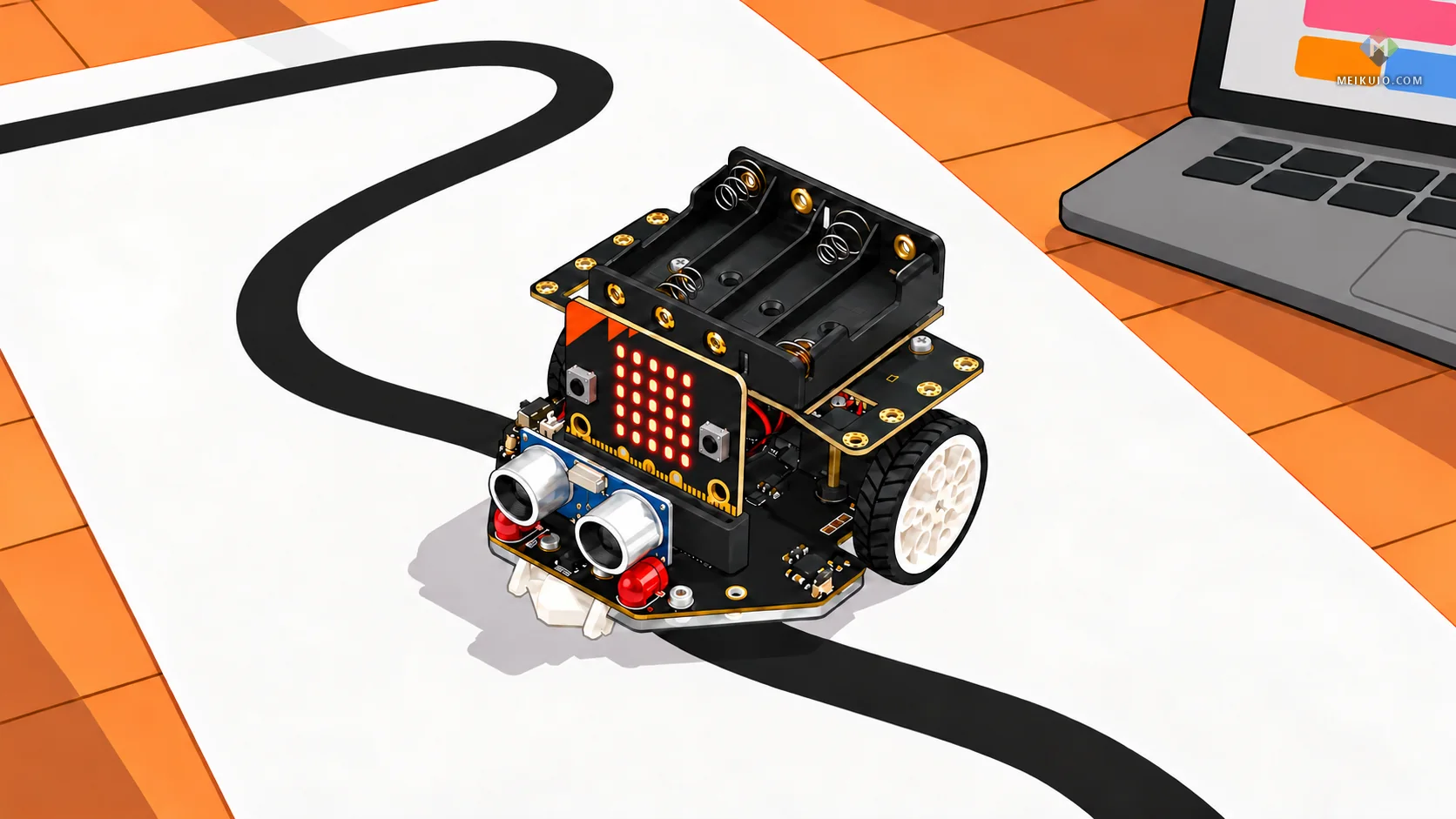
Maqueen Plus V2 is a small car built around the micro:bit, a pocket-size board made for classrooms. DFRobot lists it at $49.90. Read the fine print before you check out: the micro:bit is not included (DFRobot sells the V2 board for $22.90), and “Batteries are not included.” With the board, that’s $72.80 before batteries. The Maqueen comes in two versions, one for 4 AA batteries and one for an 18650 rechargeable cell.
It programs in Microsoft MakeCode, in a browser, and Microsoft’s own help page answers the account question in one line: “MakeCode doesn’t require you to sign in with an online account to use the product.” Signing in adds cloud saving and lets you open projects from any computer. For a parent who wants a screen and zero accounts, this and XRP’s browser editor are the cleanest setups on this list.
7. Arduino Alvik: best for a teen ready to type real code
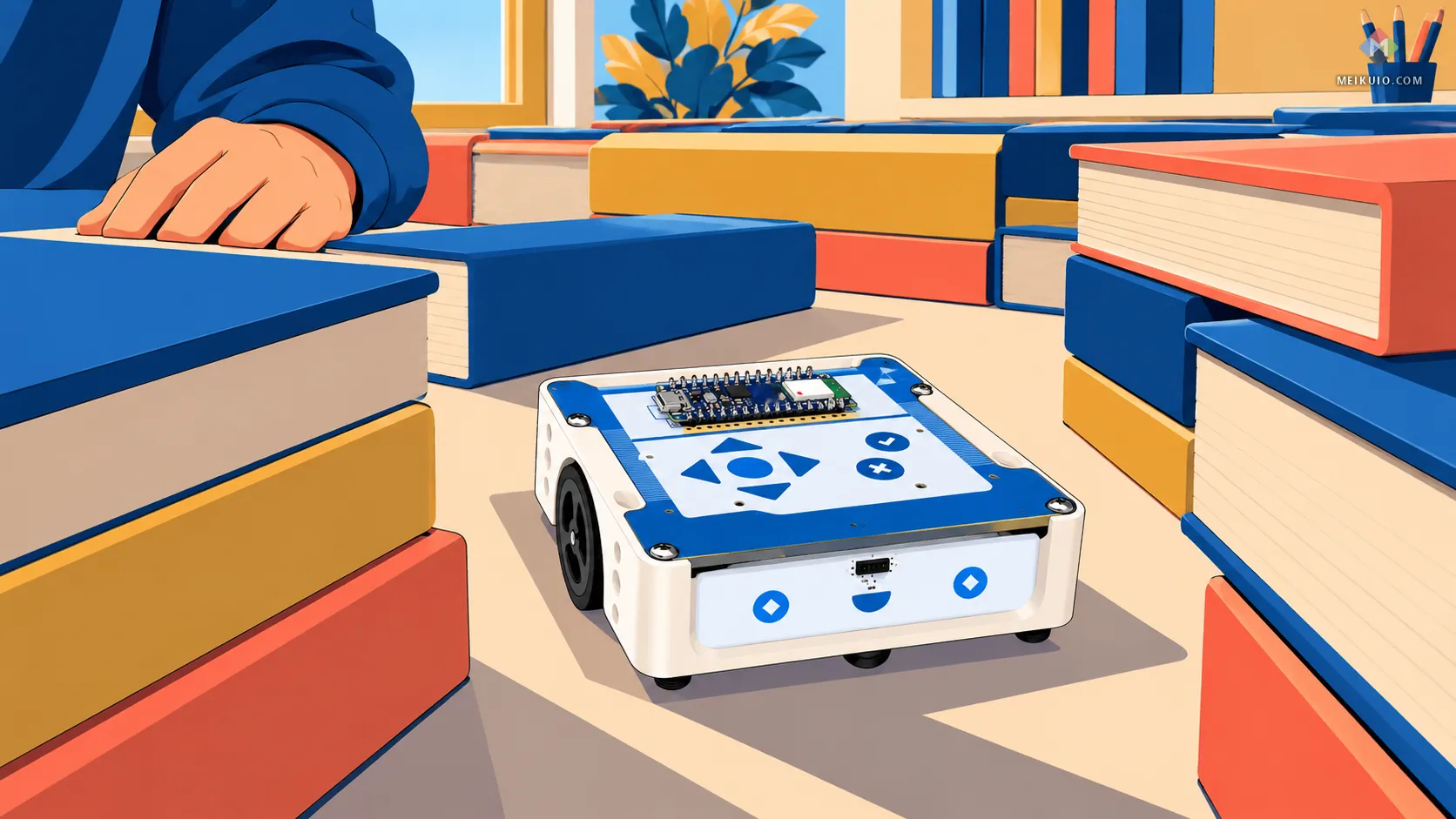
Alvik is Arduino’s own robot: a white square body with a blue top covered in arrow buttons, and a small Arduino Nano board on top. The US Arduino store lists it at $140.00. It programs in blocks, MicroPython or the Arduino language. Arduino’s MicroPython editor comes as a browser version and as an offline desktop version for Windows, macOS and Linux.
The detail I liked most is a boring one. Arduino calls Alvik’s battery “rechargeable and easy-to-replace,” and says replaceable batteries “can also extend the overall lifespan of the robot.” A built-in battery that dies can take the whole toy with it. A battery you can swap doesn’t.
8. XRP: best for a teen headed toward robotics competitions
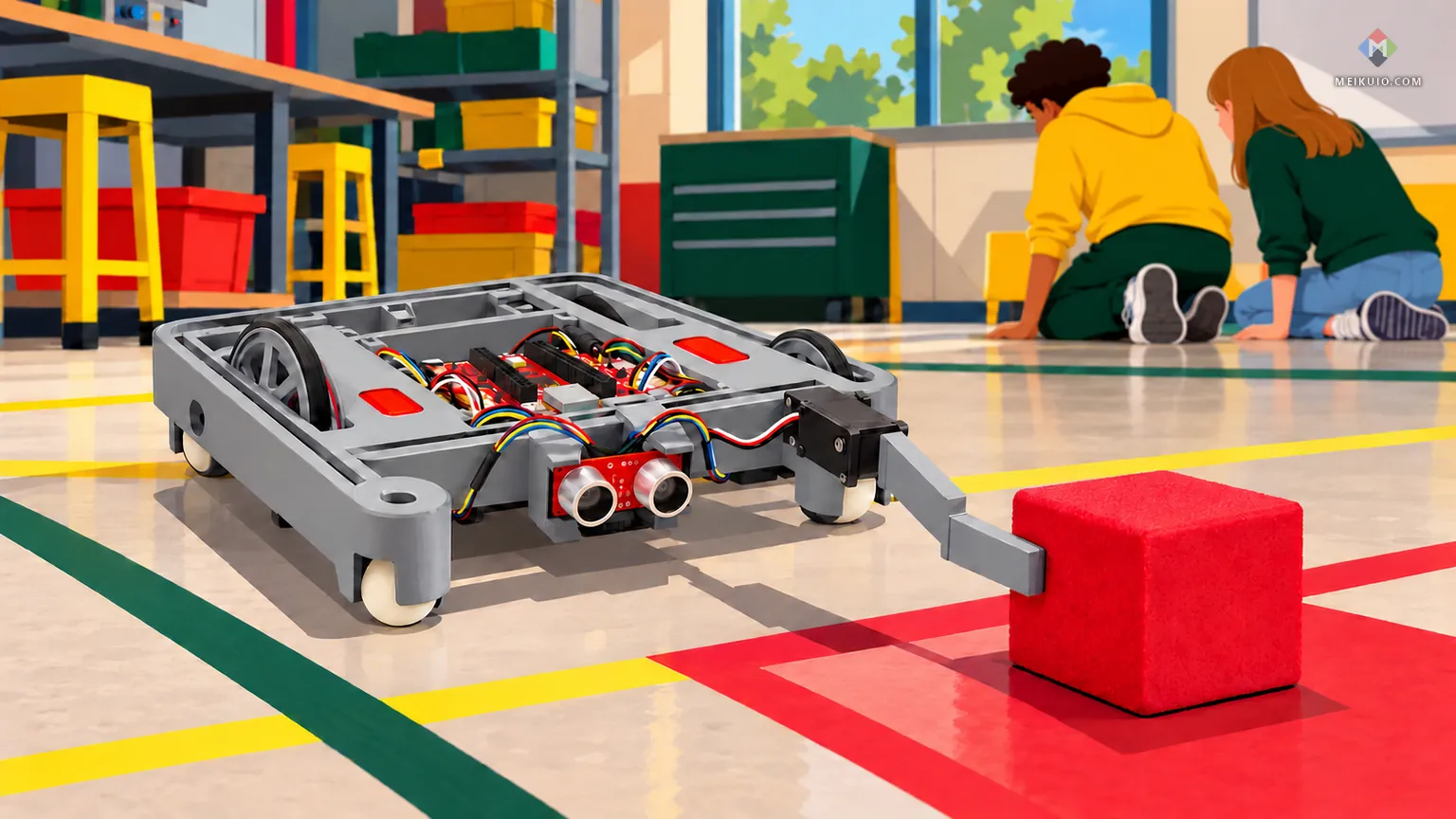
XRP, the Experiential Robotics Platform, is an open-design robot with a gray plastic frame, two motors, a servo arm, and a controller built on Raspberry Pi’s RP2350 chip. SparkFun sells the full kit. Its page says the robot “is typically powered by 4xAA batteries (not included in the kit),” and the USB-C cable you need to program it isn’t in the box either. Kids program it in XRPCode, in blocks or Python, from a browser. XRPCode opened for me without a sign-in. Its Google Sign In button is there only for saving to Google Drive. A child can save programs on the robot itself.
XRP makes the most sense for a teen who has joined, or wants to join, a school robotics team. SparkFun sells it for tool-free assembly, and competition teams take robots apart and rebuild them all season. The skills carry over: some of them show up in the companies building robots doing real jobs today.
One more path for older teens: skip the branded kit. A bare micro:bit or Arduino board, a generic two-wheel chassis, a sensor and a battery holder can cost less than a boxed kit and teach the same thing. It works only if someone in the house enjoys troubleshooting wiring. And if your teen cares more about flying than driving, my picks for beginner drones cover that gift.
What the app collects: 24 kits, checked
Most of the kits I checked for ages 8 to 12 need a companion app, and the box rarely says what that app does with your child’s data. So I read the labels. On October 23, 2026, the Google Play and App Store listings for these kits said the following, in the developers’ own words. The table covers ten of those apps; the update chart further down covers sixteen.
Four labels say the most. Sphero Edu, the app for my BOLT+ pick, shares nothing with third parties by its own label and lets kids code without signing in. LEGO’s SPIKE app says on Google Play, “Data isn’t encrypted” and “Data can’t be deleted.” The Miko app, for the Miko 3 companion robot, says on Google Play, “This app may share these data types with third parties Location,” while its Apple label says “Data Not Collected.” And the Loona app, for KEYi’s pet robot, says it may share “Personal info, Messages and 5 others.”
Two stores, two answers, from the same developer: that happened with Miko, Loona and Makeblock’s mBlock. I take neither label as proof of what the app does. I take the gap as a reason to ask the company before you hand a child the tablet. If you’re weighing paid protection for the whole household, my guide to family identity protection shows what those plans actually cover.
The robot kit the FTC took to court
In September 2025, on referral from the Federal Trade Commission, the Justice Department sued Apitor Technology, a China-based company that sells programmable robot kits. The FTC says Apitor sells “robot toys targeted to children ages 6-14” with a free companion app. According to the complaint, when Android users tried to connect to the robot, the app told them to “Enable location information permission for users to connect to the robot using Bluetooth to control the robot, or not to connect to the robot if permission is denied.” The complaint says an embedded piece of code from a Chinese company, a software development kit called JPush, then collected the children’s precise location in the background and sent it to JPush’s servers, without telling parents or asking their consent.
Apitor agreed to a court order. The order set a $500,000 civil penalty, suspended because of the company’s inability to pay, and it requires Apitor to get parents’ consent, delete data on request and keep that data no longer than needed. Today, Apitor’s own labels on Google Play and the App Store both say the app collects no data. That’s the current app speaking. The complaint describes the earlier one.
Then I found the same supplier somewhere else. KEYi Technology’s own English list of third parties for its Loona robot app names the “Aurora Push SDK” from “Shenzhen Hexun Huagu Information Technology Co., Ltd.,” and says it receives “device name, system version, local IP and UUID, and location.” In its annual SEC filing, Aurora Mobile, the company the FTC complaint names as JPush’s maker, lists Shenzhen Hexun Huagu as its consolidated variable interest entity. That’s KEYi’s own disclosure, not an accusation against KEYi, and the page doesn’t say whether it applies to US accounts. It’s still the kind of line a parent should get to read before buying.

What the children’s privacy law now covers
The Children’s Online Privacy Protection Act, or COPPA, is the federal law that makes apps for kids under 13 get a parent’s consent before collecting personal information. The FTC’s amended rule took effect on June 23, 2025, and companies had until April 22, 2026 to comply. Its definition of personal information includes “A photograph, video, or audio file where such file contains a child’s image or voice,” and now adds biometric identifiers such as voiceprints and facial templates. The rule also requires a written data-retention policy and separate parental consent before a child’s data goes to third parties, unless that sharing is integral to the service.
Location counts too. The FTC’s own FAQ puts it plainly: “COPPA covers the collection of geolocation information, not just its use or disclosure.” Voice recordings have already cost one company: in 2023 Amazon agreed to pay a $25 million civil penalty over how it kept children’s voice recordings from Alexa. A robot with a microphone sits in the same category.
Some states now add a step at the app store itself. Apple’s developer news from June 3, 2026 says that after a court lifted an injunction on Texas law SB 2420, “new Apple Accounts in Texas are now subject to the law,” including “parent or guardian consent on behalf of minors under the age of 18 for downloads, Apple In-App Purchases, and significant changes associated with an app.” An earlier Apple note, from February 24, 2026, says new accounts in Utah (from May 6, 2026) and Louisiana (from July 1, 2026) share an age range with apps, and that a parent’s permission can be required for a child’s significant app updates. If your child gets a new Apple account in Texas, expect to approve the robot’s app and its big updates yourself. In Utah and Louisiana, expect to approve at least its big updates. If you want the wider picture of what a child’s leaked data can lead to, my guide to a child’s personal data and identity theft covers it.
Batteries, small parts and a younger sibling
The age on a robot kit’s box is two things at once, and it’s easy to read only one. Federal small-parts rules ban choking-size parts in toys “intended for use by children under 3 years (36 months) of age,” and toys for ages 3 to under 6 that contain small parts must carry a choking warning. Everything else on the box is the maker’s estimate of skill. The CPSC’s own Age Determination Guidelines say they’re “not a mandatory rule.”
That matters when a kit rated 8 and up lives in a house with a two-year-old. Button and coin cells are the part I’d check first. Since April 20, 2024, toys made for the US must meet the ASTM F963-23 toy standard, which requires toy battery compartments to keep children out. Toys that meet those battery rules are exempt from Reese’s Law, the separate federal law for coin-cell products, which protects “children 6 years old and younger.” A remote control sold as a gadget, not a toy, falls under Reese’s Law instead.
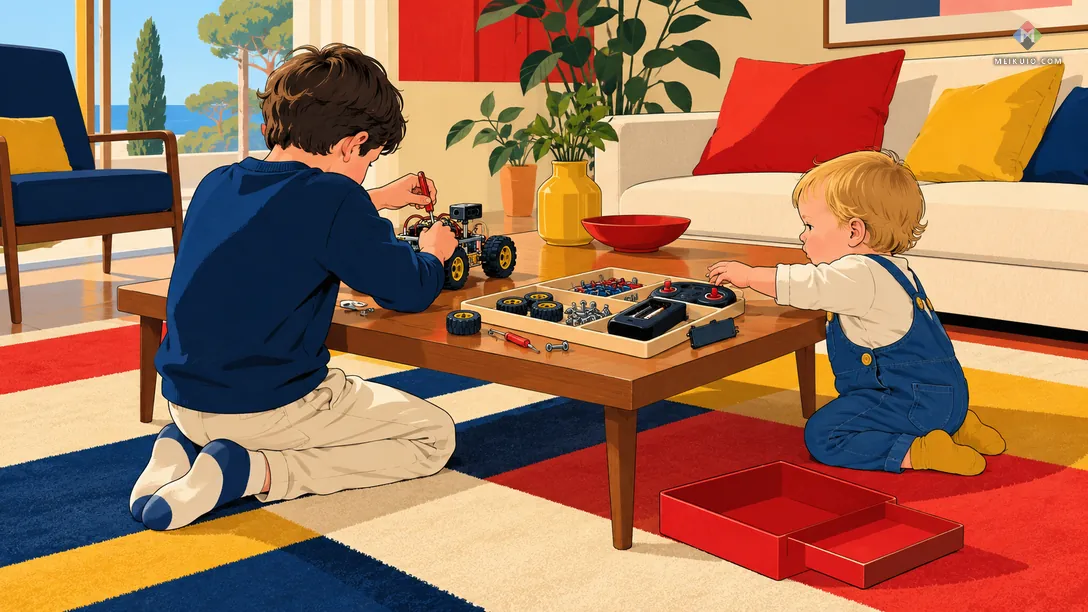
Recalls show where this goes wrong. In September 2024 Intellio Toys recalled about 12,400 Bright Builder Fort Kits, building kits whose included flashlights had button-cell compartments that opened without a common household tool. On September 24, 2026, ABC Trading recalled about 43,674 light-up children’s toys because children could easily get into their button-cell compartments. Neither is a robot kit. The fort kit is the closer warning: the danger sat in a small battery-powered extra, and a robot’s remote is exactly that.
Now the good news. On October 23, 2026, I searched the CPSC recall database by the name of every one of the 24 kits and every maker. I found no recall for any of the 24 kits. The only hits under those makers’ names were older recalls of other products, such as LEGO’s Power Functions remote controls in 2009. The search covers only CPSC recalls, not consumer complaints, and only the names I searched. Here’s how my eight picks are powered:
When the app dies, what happens to the robot
A robot that needs an app depends on two things you don’t control: the company keeping that app updated, and the company staying in business. Moxie, an $800 companion robot for young children from a startup called Embodied, is the clearest case. The robot needed Embodied’s servers, and Embodied shut down in late 2024. According to PIRG, owners got instructions on December 30, 2024 for an open-source workaround called OpenMoxie, and the company’s leased servers lasted “just over a month.” Owners who missed Embodied’s final software update were left with a robot that no longer worked as sold. As one commenter on Hacker News put it in the thread about the shutdown, “Everything that relies on some cloud can become a brick without warning.”
I’ve written about the same pattern with games, in what you actually own when you buy digital and in what happens when a company shuts its servers. Robots have it worse. The hardware sits on a shelf as a reminder.
Some makers now publish a date. LEGO promises SPIKE app support until June 30, 2031. Miko’s terms promise security updates for “four (4) years from the date of product launch,” and list December 31, 2027 for the Miko 3. A Miko 3 bought for the holidays this December gets about 12 months of guaranteed security updates. You can check any app the same way: open its listing, look for the last update date, and see how old it is. On October 23, 2026, the Apple listing for UBTECH’s Jimu app showed a latest version from September 26, 2021, and the Google Play listing for Wonder Workshop’s Go app for Dash showed a last update in November 2022, though the company’s main Wonder app for Dash was updated this October.
The kits that age best need no app at all, like Botley and KIBO, or run on free general-purpose editors, like the Maqueen and the Alvik. If MakeCode or Arduino’s editor ever went away, other editors already speak the same languages. That’s the safer bet. Botley, KIBO and Edison’s card mode also need no internet at all.
AI companion robots are not robot kits
Search for robot kits for kids and you’ll also see talking companion robots like the Miko 3 and KEYi’s Loona. They’re sold as smart friends, not as kits a child builds or codes, and they raise every question this guide asks at once. Miko’s privacy policy covers the robot’s camera and the child’s voice commands. Miko’s setup guide asks a parent to “Enter the guardian’s details (age and phone number).” Its optional Miko Max plan is listed in Apple’s store at $99 a year, and Miko’s own FAQ says, “It’s not compulsory to have Miko Max for using Miko.” The same app’s Apple label says “Data Not Collected.”
I’m not ranking them. If your child wants a robot to talk to, that’s a different purchase, closer to a home humanoid robot than to a coding kit, with a different set of questions, starting with the labels above and the support date in the company’s terms. If what they really want is a robot pet, my comparison of robot dogs for kids and adults covers the toy ones, and my list of AI gadgets covers the rest of the talking hardware.
It moves, but it isn’t a robot: solar and gear kits
Some boxes sold as robot kits for kids are solar or motorized build kits: a dozen plastic robots you snap together from sprues, powered by a small solar panel or a battery box. On October 23, 2026, a Sillbird 12-in-1 solar robot kit sat in the first-page results for “best robot kits for kids.” They’re fine building toys. They have no sensors and nothing to program, so they teach gears and patience, not coding. Expect adult help with the small parts.
Monthly project boxes sit in the same place: craft-and-circuit projects, one per month. Buy one if your child loves building. Before you count one as a coding gift, check that the box has a robot a child can reprogram.
Before you buy: borrow, simulate or join a club
Some robot kits for kids end up in a closet after one weekend. You can find out whether your child will stick with it before spending anything.
Start with the library. Chicago Public Library began lending Finch robots on May 12, 2014, after Google donated 500 of them, and its current FAQ still lists a three-week loan period for Finch robots. Bridgewater Public Library in Massachusetts lends a Code & Go Robot Mouse kit for a week. Ask your branch for its “library of things” or STEM kit collection.

Then try a free virtual robot. VEX’s VEXcode VR lets kids drive and program a simulated robot in a browser, and its terms say “Users may also use the Service without registering or creating a User account.” Microsoft MakeCode, the micro:bit’s editor, also works without an account. If your child prefers screens to building, the coding tools in my guide to AI study tools may suit them better than hardware.
Clubs are the third route. A school robotics team or FIRST LEGO League team shares expensive hardware and gives a kid teammates, which a box at home can’t.
Buying for a homeschool group or a classroom
Buying for two or three kids changes the math. Edison’s FAQ says a single robot is $59, and “in a class pack of 30 robots, each unit is discounted to $39.96 USD.” KinderLab’s three-month home course, at $220 with shipping, is designed for homes and homeschoolers. Sphero’s trade-in helps if you’re upgrading older BOLTs. And if a co-op still teaches with LEGO SPIKE, plan around LEGO’s dates: no new kits from LEGO Education after June 30, 2026, app fixes until June 30, 2031, spare parts for about two years.
One more thing for group buyers: count the hubs. A parent on the Well-Trained Mind forum, writing about SPIKE Essential in March 2025, put it this way: one kit “is designed for two kids in educational settings. But there is just one hub, so they would need to use it together.”
A five-minute check before you pay
Whatever robot kit you pick, you can check it on your phone in the store aisle.
- Search the app store for the kit’s companion app. If the box says the kit needs no app, skip to step 4.
- Read “Data safety” on Google Play or “App Privacy” on the App Store. Look for anything shared with third parties, and for “Data isn’t encrypted” or “Data can’t be deleted.”
- Check when the app was last updated. If the last update is more than a year old, ask the maker before buying.
- Find the battery line on the maker’s page. Coin cells in the robot or the remote mean the door should need a screwdriver.
- Search the kit’s name at the CPSC’s recall site, cpsc.gov/Recalls.
Field notes
- The census: 24 robot kits checked on October 23, 2026 against makers’ pages, Google Play and App Store labels, privacy policies and the CPSC recall database.
- Recalls: none found for any of the 24 kits, searched by name in the CPSC recall database only.
- LEGO SPIKE: sales ended June 30, 2026; app support until June 30, 2031; spare parts for about two years.
- App labels: on Google Play, Miko says it may share location and Loona says it may share personal info, messages and five other types; seven of the ten apps in the label table say they share nothing, and one of them, SPIKE, says “Data isn’t encrypted.”
- The FTC case: United States v. Apitor Technology, filed September 2025; $500,000 penalty, suspended.
- The guides: of 12 ranking guides, none checks app accounts, privacy labels, coin cells or recalls.
- Sources: FTC and DOJ filings, Federal Register, eCFR, CPSC, makers’ pages and app-store listings.
Frequently Asked Questions
What is the best starter robotics kit for kids?
It depends on age. For ages 5 to 7, Botley 2.0 is the easiest start: no screen and no app. For 8 to 12, Sphero BOLT+ or Edison V3. For teens, DFRobot’s Maqueen Plus V2 is a low-cost start, and Arduino Alvik suits one ready to type code.
What is the most popular robot for kids?
On October 23, 2026, Google’s AI answer named a Makeblock mBot first for both main searches, and LEGO’s SPIKE kits were made for classrooms. LEGO Education stopped selling SPIKE on June 30, 2026, though it will support the SPIKE app until June 30, 2031.
What is the best robot kit for a 5-year-old?
A screen-free one. Botley 2.0 is rated 5 and up and takes 5 AAA batteries, three in the robot and two in the remote. KIBO teaches the same ideas with wooden blocks, but the KIBO 18 kit lists at $665, so consider KinderLab’s $220 three-month home course first.
What robot kit is good for an 8-year-old?
Sphero BOLT+ if you want a ready-made robot your child codes in an app; Sphero says kids can program it with or without signing in. Edison V3 if you want to spend $59 and start with barcode cards and no screen.
Do coding robots for kids need an app?
Many do, but not all. Botley 2.0 and KIBO need no app. Edison V3 runs from barcode cards. The micro:bit robots use Microsoft MakeCode in a browser, which doesn’t require a sign-in. Robots like BOLT+ and mBot2 need an app or editor to program.
Do robot toys collect children’s data?
Some apps say they do. On Google Play, Miko’s app says it may share location with third parties, and Loona’s lists seven shared data types. In 2025 the FTC alleged that robot maker Apitor’s app let a Chinese SDK collect children’s precise location. Read the app’s privacy label before buying.
Are robot kits safe in a house with a toddler?
Mostly, with care. Kits for older kids can contain small parts, which federal rules ban only in toys for children under 3. Check whether the robot or its remote uses coin cells, and whether the battery door needs a screwdriver. Store loose parts in a lidded box.
Can you borrow a robot kit from a public library?
Often, yes. Chicago Public Library has lent Finch robots since 2014 and lists a three-week loan for them, and smaller libraries lend kits like the Code & Go Robot Mouse. Ask your branch about its “library of things” or STEM kits.
Is LEGO SPIKE being discontinued?
Yes. LEGO Education ended sales of SPIKE Essential, SPIKE Prime, their hubs and hub batteries on June 30, 2026. It says it will support the SPIKE app until June 30, 2031, and keep spare parts in stock for about two years after the last sale.
Are robot kits worth it for kids?
They are when the kit matches your child’s age and patience. Too easy and your child drops it by Sunday; too hard and a parent ends up building it. Borrow one from a library or try a free simulator like VEXcode VR first, then buy.
My Take
The robot is the easy part. Every pick on this list moves when a child tells it to. What separates them is everything after the box is open: whether a tablet has to stay in the loop, whether the app asks for an account, what it says about your child’s data, and how long the company promises to keep it working. The kits I’d put first need the least trust. Botley and KIBO need no app at all. Edison starts with cards. The Maqueen and the Alvik run on free editors that don’t depend on one company. The same quality is why they’ll still work when your youngest inherits them.
Here’s what I’d do. For a 5-year-old, I’d buy Botley 2.0, put in the five AAA batteries myself, and keep the cards in a lidded box away from the toddler. For an 8-to-10-year-old, I’d borrow a robot from the library for three weeks first, then buy Edison V3 if they wanted more, and BOLT+ if they kept asking. For a teen, I’d let them pick between the Maqueen and the Alvik, or take the XRP if they’re joining a robotics team, and I’d buy whatever the box leaves out, like the Maqueen’s micro:bit and batteries, at the same time so the gift works on the day. And I’d do the five-minute app check on anything with a companion app, including the ones I didn’t pick. The label takes two minutes to read. None of the 12 guides I read in the search results reads it for you.












