
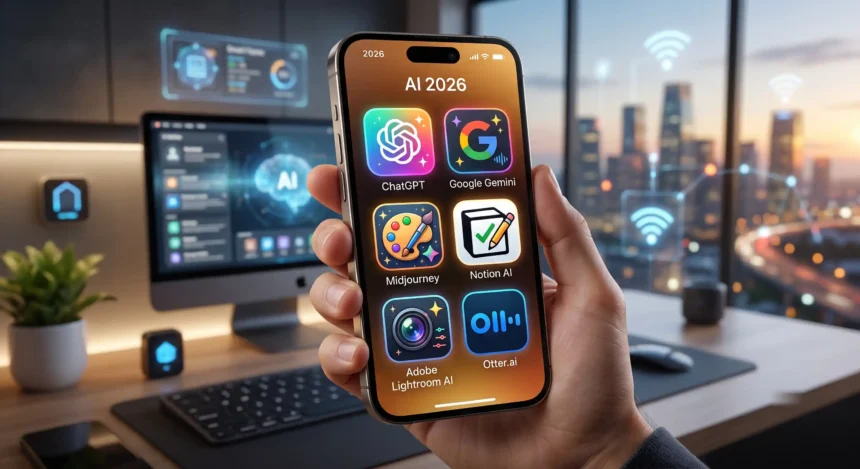
The best AI apps for iPhone in 2026 are free, or they cost a fixed price you pay straight to the company that made them. ChatGPT, Claude, Gemini, and Perplexity all have real free tiers. Apple Intelligence is built in and costs nothing. The trap isn’t picking the wrong app. It’s the App Store copycats that quietly charge $5 to $10 a week for access to a chatbot you can already use for free.
- How I picked these (and the one rule that saved me money)
- Quick verdict: the AI apps worth your Home Screen
- The official flagships (start here, most are free)
- Best all-around: ChatGPT
- Best for careful writing and reasoning: Claude
- Best if you live in Google: Gemini
- Best for answers with sources: Perplexity
- The specialist apps (one job, done well)
- Best for photo cleanup: Photoroom
- Best for transcription: Otter
- Best for grammar: Grammarly
- Microsoft Copilot
- What about Apple Intelligence? It’s free, but it’s not a chatbot
- The real trap: fleeceware that charges you for free ChatGPT
- What fleeceware actually is
- 2023: the fake ChatGPT wave
- 2025: Sora clones made it worse
- How to spot one before it bills you
- One more thing: where your data goes
- So which AI apps should actually be on your iPhone?
- Frequently asked questions
I tested the ones worth keeping on my Home Screen, checked what each one really charges, and dug into the subscription traps that show up when you search “AI” in the App Store. Here’s what I’d install, what I’d skip, and the one rule that stopped me from wasting money.
How I picked these (and the one rule that saved me money)
My test was simple. I only kept apps that are official (made by the company behind the model, not a third-party wrapper), honest about billing, and clear about where your data goes. Everything below either has a genuine free tier or a flat monthly price you pay directly.
The rule that saved me the most money came from McAfee’s own research team, and it’s worth tattooing on your thumb before you tap “subscribe”: any app that charges a fee just to use ChatGPT is fleeceware. OpenAI’s app is free. If something in the App Store wants $7 a week to “unlock GPT,” you’re paying a stranger for a free product. Hold that thought, because the back half of this piece is about exactly that racket.
Note
The single best filter for AI apps on iPhone: if an app charges you to access ChatGPT, Gemini, or any free chatbot, it’s a wrapper. The real apps are free to download and free to try.
Quick verdict: the AI apps worth your Home Screen
Source graphic annual totals, not monthly subscriptions. Some official prices require annual billing. Weekly trap costs are annualised; Ask AI is 6 × 52 = 312 USD. Gemini’s original graphic rounds its annual amount to 60 USD. Existing full table preserves separate monthly plans.
Rating counts, not downloads. Star ratings in the same snapshot: ChatGPT 4.8, Gemini 4.7, Perplexity 4.8, Copilot 4.8, Photoroom 4.8, Grammarly 4.7, Claude 4.7, Otter 4.8. Original log display is replaced by a linear count axis.
More Read

The official flagships (start here, most are free)
Four apps cover almost everything a normal person wants from AI on a phone. All four are free to install and free to try. You can compare every plan side by side if you want the full pricing breakdown, but here’s the short version by job.
Best all-around: ChatGPT
If you install one AI app, install this one. ChatGPT was the second most-downloaded app in the world in 2025, behind only TikTok, and the free tier is genuinely useful for everyday questions, writing help, and quick research. The paid ladder goes Free, then Go at $8 a month (launched worldwide in January 2026, ten times the messages on GPT-5.2 Instant), then Plus at $20, then Pro at $200 for heavy users.
One detail matters here because the copycats exploit it: OpenAI does not sell an annual ChatGPT plan. There’s no “yearly discount.” So when an App Store listing advertises a cheap-looking yearly price for “ChatGPT Plus,” that’s not OpenAI. That’s a wrapper hoping you won’t check.
Best for careful writing and reasoning: Claude
Claude is the one I reach for when the answer has to be right and read well. It’s more careful with facts, better at long-form writing, and less likely to pad an answer with filler. Free tier exists but runs out quickly on long sessions. Pro is $20 a month, or $17 a month if you pay for the year up front ($200). Max plans ($100 and $200) exist for people who live in it. If you write for a living, Claude and ChatGPT together cover most bases. I compared them head to head in a roundup of the alternatives I actually switched to.
Best if you live in Google: Gemini
Gemini makes the most sense if your life already runs through Gmail, Docs, and Android-adjacent habits. It has the cheapest paid entry point of the big four: AI Plus is $4.99 a month, and AI Pro is $19.99. The current model on the app is Gemini 3.5 Flash. The free tier is capable, and the low $4.99 tier is the only sub-$10 upgrade among the flagship chatbots that’s worth it.
Best for answers with sources: Perplexity
Perplexity is a search engine wearing a chatbot’s clothes. Ask it something and it answers with citations, which makes it the one I trust for anything I’ll repeat out loud. The free tier gives you roughly five Pro searches a day, which is enough to see whether you like it. Pro is $20 a month or $200 a year. Students get Education Pro at $10 (we compared its learning modes against other tools in our guide to the best AI for studying). If you mostly want fast, sourced answers rather than a writing partner, this beats a general chatbot.
The specialist apps (one job, done well)
These aren’t chatbots. Each does one narrow thing better than a general assistant, and each is worth a spot only if you have that specific need. (If your one job is writing code, that’s a different shortlist, and I covered the best AI coding tools separately.) This is also where billing starts getting slippery, so read the fine print.
Best for photo cleanup: Photoroom
Photoroom removes backgrounds, cleans up product shots, and does the kind of quick image work that used to need Photoshop. The free tier gives you 250 exports with a watermark. Pro is $12.99 a month, or $7.50 a month if you pay annually ($90 a year). The honest caveat: Photoroom does offer weekly billing on mobile, and its own site describes those weekly plans as renewing every week with smaller limits. It’s a legitimate app, not a scam, but weekly billing is exactly the pattern the fleeceware apps abuse, so pick the monthly or annual plan and skip the weekly one.
Best for transcription: Otter
Otter transcribes meetings in real time and is very good at it. Free gives you 300 minutes a month, Pro is $16.99, Business is $30. Before you point it at anything private, though, know this: Otter is the subject of a proposed class action, Brewer v. Otter.ai, filed in California federal court, alleging it recorded private conversations without consent and used them to train its AI. Useful tool. Just be deliberate about what you let it into.
Best for grammar: Grammarly
Grammarly still does the job it’s always done, now with more AI writing features bolted on. The free tier covers spelling, grammar, and basic tone. Pro (renamed from Premium, now under Superhuman) is $30 a month, or $144 a year if you pay upfront, which works out to $12 a month. Month to month it’s the priciest writing tool here, but the annual plan is the cheapest way in, so only pay if you write constantly and want the tone and clarity suggestions. If the $144 stings, here are the Grammarly alternatives worth trying first.
Microsoft Copilot
Copilot’s free chat is fine, and it’s the obvious pick if you already pay for Microsoft 365. Ignore the $30 figure you’ll see quoted, though: for a regular person, Copilot comes through Microsoft 365 Personal at $9.99 a month or Family at $12.99. That $30 plan is Microsoft 365 Copilot for business, a different product. For home use, you’re looking at ten bucks.
What about Apple Intelligence? It’s free, but it’s not a chatbot
Apple Intelligence is built into iOS and costs nothing, which sounds like it should end the whole conversation. It doesn’t, because it does a different job than a chatbot. Think of it as a set of features sprinkled through the system: Writing Tools for rewriting and proofreading, Genmoji, Image Playground, Visual Intelligence, Clean Up in Photos, notification summaries, Live Translation, and a Siri that can hand harder questions to ChatGPT. Handy. Not the same thing as a real assistant you can hold a conversation with.
Note
Apple Intelligence needs an iPhone 15 Pro or Pro Max, or any iPhone 16 or newer (including iPhone 17). The regular iPhone 15, 15 Plus, and anything older are left out because their chips and 6GB of RAM fall below the 8GB floor. It also adds about 7GB of storage.
Two honest caveats. First, the current version runs on iOS 26, and the more personal, more capable Siri that Apple demoed has been pushed to iOS 27, expected in the fall of 2026. It’s not here yet. Second, the feature has a reliability history: in early 2025, Apple suspended AI notification summaries for news and entertainment after they generated false alerts, including a fake BBC headline claiming Luigi Mangione had shot himself, which never happened, and a bogus one about Netanyahu. Apple later brought summaries back with an italic label. Treat Apple Intelligence as a useful bonus baked into the phone, and lean on Apple’s own longer-term plan, which involves rebuilding Siri to replace the stopgap, for the assistant part.
The real trap: fleeceware that charges you for free ChatGPT
Now the part nobody else in the “best AI apps” lists will tell you. The biggest risk in the App Store isn’t choosing a mediocre app. It’s handing a subscription to a copycat that wraps a free chatbot and bills you weekly until you notice.
What fleeceware actually is
Fleeceware is an app that overcharges for something you can get free elsewhere, usually paired with coercive subscription tactics: a short free trial that flips into an expensive recurring charge, pricing buried in the listing, and a cancel flow designed to be missed. The apps aren’t technically malware. They don’t steal your data. They just bleed your card.
One of the fake ChatGPT apps Sophos investigated charged $6 a week. That’s $312 a year for a product OpenAI gives away for free.
2023: the fake ChatGPT wave
This problem got documented early. Back in 2023, security firm Sophos dug into five fake ChatGPT apps that had appeared within weeks of the real one. One, called “Ask AI Assistant,” charged $6 a week, which works out to $312 a year, after a three-day trial. Another, “Genie,” pulled in more than $1 million in a single month. The apps did little more than pass your questions to a free model and charge you for the privilege. At the top end, the worst offenders push weekly plans that work out to around $500 a year – more than double the cost of a real ChatGPT Plus subscription. That was the warning shot.
2025: Sora clones made it worse
Two years later it got worse, not better. When OpenAI launched its Sora video app at the end of September 2025, more than a dozen imitators flooded the App Store within days. Appfigures counted around 300,000 installs and over $160,000 in revenue collected across the clones, with names like “PetReels, Sora for Pets” and “Viral AI Photo Maker.” The biggest single copycat pulled more than 50,000 downloads. Daring Fireball’s John Gruber called it “the App Store scam of the week.” The pattern is permanent now. Every time a real AI product makes news, a swarm of paid look-alikes follows.
The App Store scam of the week
John Gruber, Daring Fireball, on the Sora clone wave
How to spot one before it bills you
You can screen out almost every fleeceware app in about thirty seconds. Five checks, straight from McAfee’s guidance:
- Read the description, not just the name. A “ChatGPT” app not made by OpenAI is a wrapper.
- Sort reviews by one star and look for complaints about surprise weekly charges.
- Install AI apps only from the official maker (OpenAI, Anthropic, Google, Microsoft, Perplexity).
- Check the developer name under the app title. If it’s a random studio, walk away.
- Remember that deleting an app does not cancel its subscription. You cancel that in your Apple account settings.
One more thing: where your data goes
Price isn’t the only reason to be picky. Some AI apps raise real privacy questions, and the clearest example is DeepSeek. It’s a capable, cheap Chinese model, but in February 2025 South Korea pulled DeepSeek from the App Store and Google Play over data-protection violations, Italy restricted it, and Australia and Taiwan banned it on government devices. Its data is stored on servers in China. For casual questions, fine. For anything sensitive, personal, or work-related, I’d keep it off the phone. If you want the fuller picture on how these models fit into the wider market, I dug into how China’s open-weight models are actually being used in a separate piece.
The same instinct applies to the transcription and note apps. Otter’s class action is a reminder that “record everything” tools carry consent and data risks. Read what an app collects before you let it listen.
So which AI apps should actually be on your iPhone?
Strip away the noise and it’s a short list.
- Most people: ChatGPT (free) plus whatever Apple Intelligence your phone already has. That covers 90% of daily use for zero dollars.
- Deep in Google’s world: Gemini, and pay the $4.99 tier only if you hit the free limits.
- You want sourced answers: Perplexity, free tier first.
- You have a specific job: add one specialist (Photoroom, Otter, or Grammarly) and pick monthly, never weekly.
- Everyone: never pay a weekly subscription to “unlock” a chatbot. The official prices are fixed and public, and none of them bill by the week.
The best AI apps for iPhone cost either nothing or a flat monthly fee you pay to the company that built the model. Everything else is someone betting you won’t check the receipt.
Frequently asked questions
What is the best free AI app for iPhone?
ChatGPT is the best free all-around AI app for iPhone. Its free tier handles everyday questions, writing, and research without paying anything. Gemini and Perplexity also have strong free tiers, and Apple Intelligence adds free system-level features on newer iPhones.
Is Apple Intelligence a replacement for ChatGPT?
No. Apple Intelligence handles writing tools, image features, notification summaries, and translation inside iOS, and Siri can pass some questions to ChatGPT. But it isn’t a full conversational assistant on its own. For real back-and-forth, you still want a dedicated chatbot app.
Why are some AI apps charging $10 a week?
Those are almost always fleeceware: copycat apps that wrap a free chatbot like ChatGPT and charge a weekly subscription after a short trial. The real apps from OpenAI, Google, and Anthropic are free to download and never bill by the week.
Is the ChatGPT app on iPhone free?
Yes. The official ChatGPT app from OpenAI is free to download and use. Paid tiers (Go at $8, Plus at $20, Pro at $200 a month) are optional. OpenAI does not sell an annual plan, so any yearly “ChatGPT” subscription in the App Store is from a third-party wrapper.
Are Chinese AI apps like DeepSeek safe to use?
DeepSeek works well but stores data on servers in China, and several governments have restricted or banned it over data-protection concerns. It’s fine for casual, non-sensitive questions. For personal, financial, or work data, use an app with clearer data handling.
Do I need to pay for an AI app to get GPT-5?
No. The free ChatGPT app runs on a current GPT-5-series model. Paid plans raise your message limits and add faster or more capable modes, but you can use the latest model for free within those limits. You never need a third-party app to access it.
My Take
After a week of shuffling these around my phone, my real setup is boring: free ChatGPT, free Gemini for anything Google-shaped, and Perplexity when I need a source I can point to. I paid for nothing and didn’t miss the paid tiers.
What actually annoyed me wasn’t any of the real apps. It was how aggressively the fakes crowd the search results. Type “AI” into the App Store and the free, official apps are buried under look-alikes with five-star review farms and weekly price tags. The apps are the easy part. Not getting fleeced is the skill.